Tether
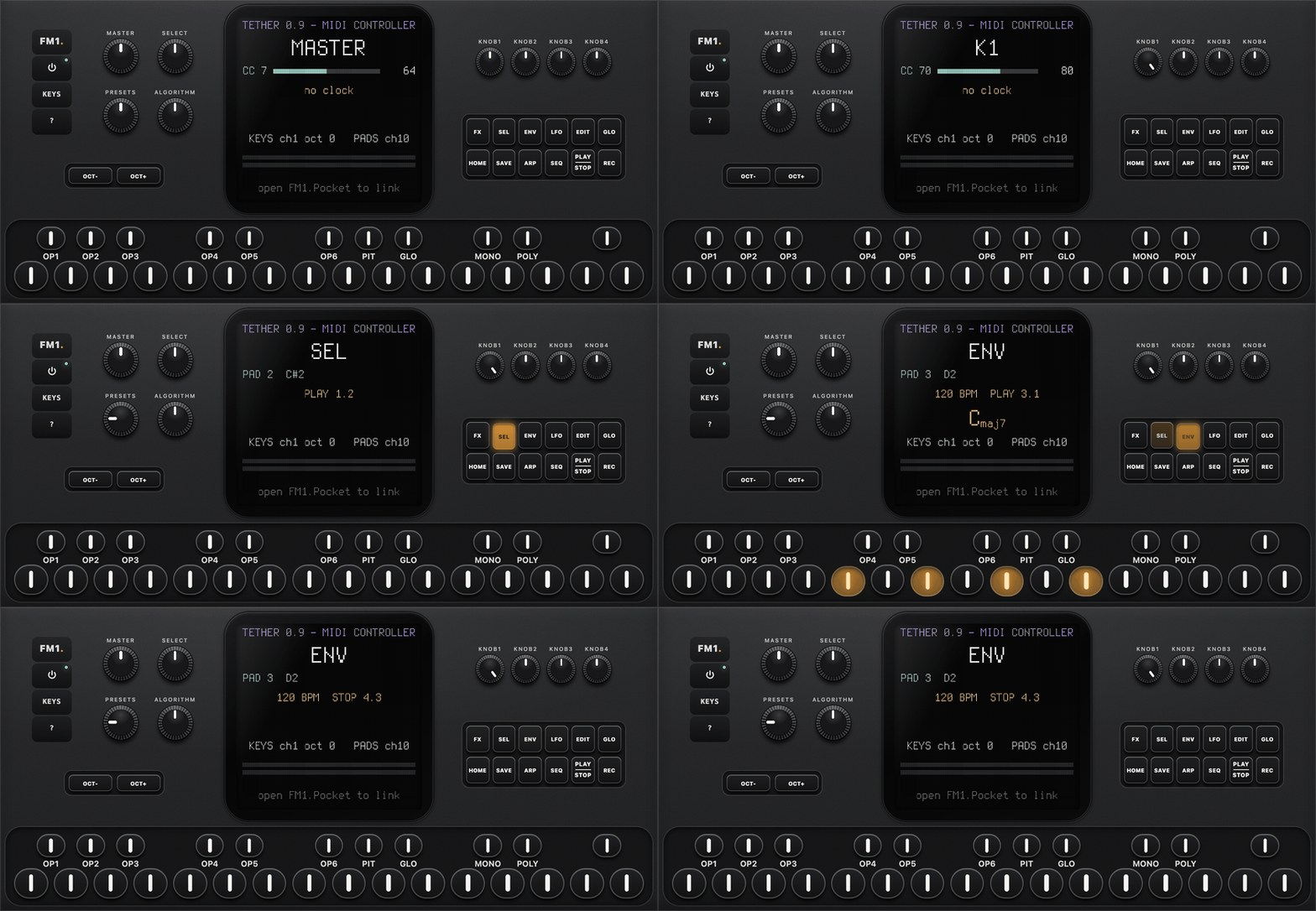
Turns the FM-1 into a USB MIDI controller and into the front panel of the FM1.Pocket browser emulator: keys, knobs and buttons play the page, and the page's screen and lights show on the unit.
by utopick
- Distribution
- Prebuilt image you flash yourself
- License notes
- The pocket/firmware folder has its own LICENSE and LICENSING.md giving GPL-3.0-only, as Dinghy; the rest of the repository, including the FM1.Pocket page that talks to it over MIDI, is MIT. The platform code keeps the credits of Leo Kuroshita, isod89, M. Geisler and zvenson, and the Terminus font is SIL OFL 1.1. The logo of Dinghy, designburg's and not under the GPL, was not copied. The committed tether-1.0.fwsc is the project's own build and not an M-VAVE stock image.
- Source
- github.com https://github.com/utopick/fm1-pocket/tree/pocket/pocket/firmware
- Homepage
- utopick.github.io https://utopick.github.io/fm1-pocket/pocket/
- controller-mode
- midi
- usb-midi
- usb-audio
- emulator
Description
With FM1.Pocket open, the unit's 27 keys, 12 buttons, encoders and MASTER knob are sent to the page as MIDI and the page sends back the emulated screen and the LED states, so any FM-1 firmware can be tried on real keys and a real screen without installing it. The package also has a protocol 2 mode in which the unit is a USB audio speaker the page can play into; the project's status notes say this speaker has not yet run on a unit. When no page is open, Tether is a plain USB MIDI keyboard: keys send notes on channel 1, the buttons send pads on notes 36 to 47 on channel 10, MASTER sends CC 7 and the encoders send CC 74 to 76 and 70 to 73. The screen shows the control last touched with its value, the tempo and bar when a program sends MIDI clock, the chord being held and a level meter for incoming USB audio, and a program can light the keys and pads by sending notes back. It is Dinghy 0.5 with the app replaced by tether.c and small changes to its MIDI, USB and storage code, and it keeps the update loader so other firmware can be installed over it. The project's other Pocket apps recognise the unit when it runs Tether.
Install notes
The release notes say to install it from FM1.Pocket (OPTIONS, REAL FM-1), which walks through a backup, the m-bootloader protector and then the install, or with The Firmware Hub's installer, which needs neither. It works on the first FM-1s and on the newer ones with the UC25HQ80 flash chip. Its update loader means another firmware can always be installed over it, and holding OCT- while powering on enters Dinghy's USB rescue mode. To go back to stock, open M-VAVE's FM-1.fwsc in FM1.Pocket and install it the same way. The README says Tether works as a controller and sound output on Mac and Android.
Version history
| Version | Date | Notes |
|---|---|---|
| 1.0 | 2026-11-20 | First release; the package identity is FM-1_9250 and the source is in pocket/firmware. |