M-Unbricker
Tool for FM-1 and SMK-37 Pro / Elite (M-VAVE)
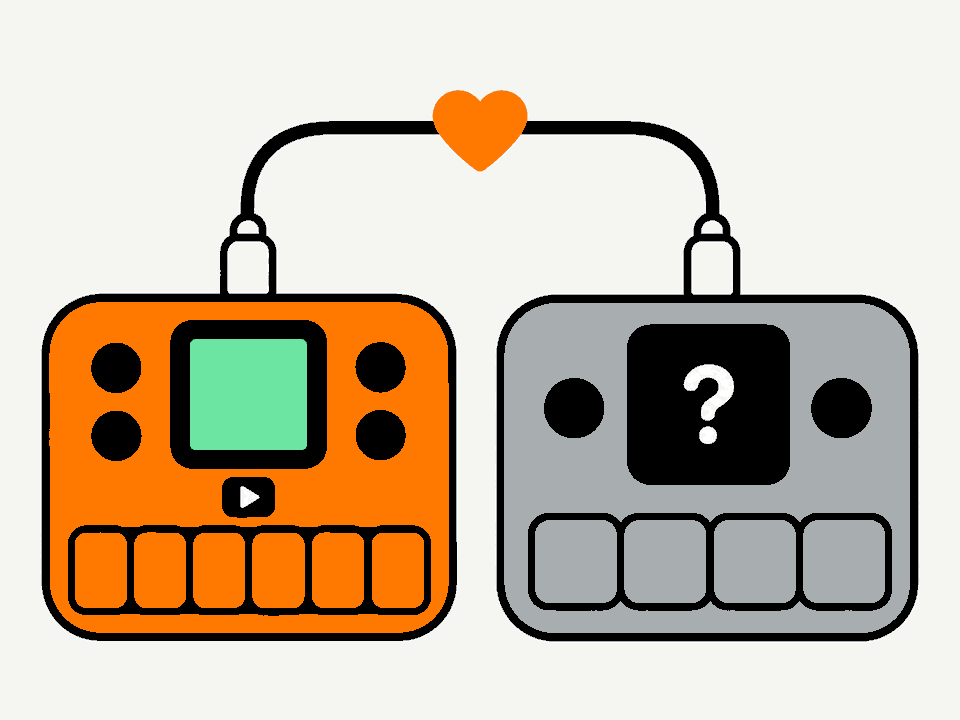
Repairs a broken FM-1 or SMK-37 using a second, working unit and a USB-C cable, with no dongle: the working unit becomes a USB host that rewrites the broken one's bootloader. Either model can repair either.
Brick risk. Flashing this carries a known, documented risk of damaging the device.
- Distribution
- Browser installer (WebMIDI / WebUSB)
- License notes
- THIRD-PARTY.md lists the third-party parts. The repository holds m-bootloader 3.0 boot images and RAM stage packages (rescue/ and web/assets/); the SMK-37 boot image sits on the header and chip-key record of M-VAVE's official SMK-37 Pro 016 package. It holds no M-VAVE firmware image.
- Source
- github.com https://github.com/jvitkauskas/m-unbricker
- Homepage
- jvitkauskas.github.io https://jvitkauskas.github.io/m-apps/unbricker/
- flasher
- loader
- utility
- web
Description
A browser page guides the steps in Chrome or Edge, or in Chrome on Android, or with the MIDIWeb app on iOS. The page first starts a RAM stage of m-bootloader on the working unit through the firmware's own update route, leaving its firmware and settings in place, and then sends the M-Unbricker RAM app, which takes over that unit's USB-C port and screen. With the cable moved to the broken unit, it sends the JieLi USB_KEY and calibration pulses that put that unit's mask ROM into USB download mode whatever its flash holds, loads M-Flasher's flash loader over mass storage, identifies the model and writes a fresh m-bootloader to the boot area, erasing the rest of the firmware area up to 0xFEFFF and verifying with the chip's CRC32. The top flash page (0xFF000 onwards) and the SMK-37's Bluetooth pairing and calibration area are never written. With no firmware left, m-bootloader opens its MIDI mode by itself and the unit takes a firmware from that firmware's own browser installer. The README reports tests on an FM-1 and an SMK-37 Pro in both directions, including an FM-1 bricked by a firmware that hangs at start, and lists the firmwares the helper stage has started on. The same page can also be run from M-Flasher with its run-ram command.
Install notes
Open the page and follow the steps with a working FM-1 or SMK-37 and a USB-C cable. Building the apps from source needs GNU Make, Python 3, cargo, and the author's open pi32v2 LLVM toolchain and pi32v2 Rust compiler on Linux x86-64.
Version history
| Version | Date | Notes |
|---|---|---|
| main @ 204f88d | 2026-11-26 | No tagged releases; this is the latest commit, which rewrites M-Unbricker in Rust and moves it to m-bootloader 3.0. Before it, the page continues when the firmware restarts into m-bootloader's MIDI mode and asks for the MIDI ports afresh instead of relying on their names. |
| main @ 8d524ce | 2026-11-25 | No tagged releases; this is the latest commit. Since the previous row the page picks the board by the model name that the firmware, m-bootloader's MIDI mode and the helper report, and uses the flash chip only when the name is unknown, and it offers Connect again after the helper times out. Some SMK-37 Pro units have the 0x856014 flash chip that FM-1 units have, and the page used to send them the FM-1 build, which the unit refused. |
| main @ bd5ea96 | 2026-11-20 | No tagged releases; this is the latest commit, which makes the stage build script say how to replace an old build/m-bootloader. Since the previous row the page offers the helper from m-bootloader 2.4 and the new app builds, and THIRD-PARTY.md names version 2.4. |