GigBox (FM-1 Fleet Manager)
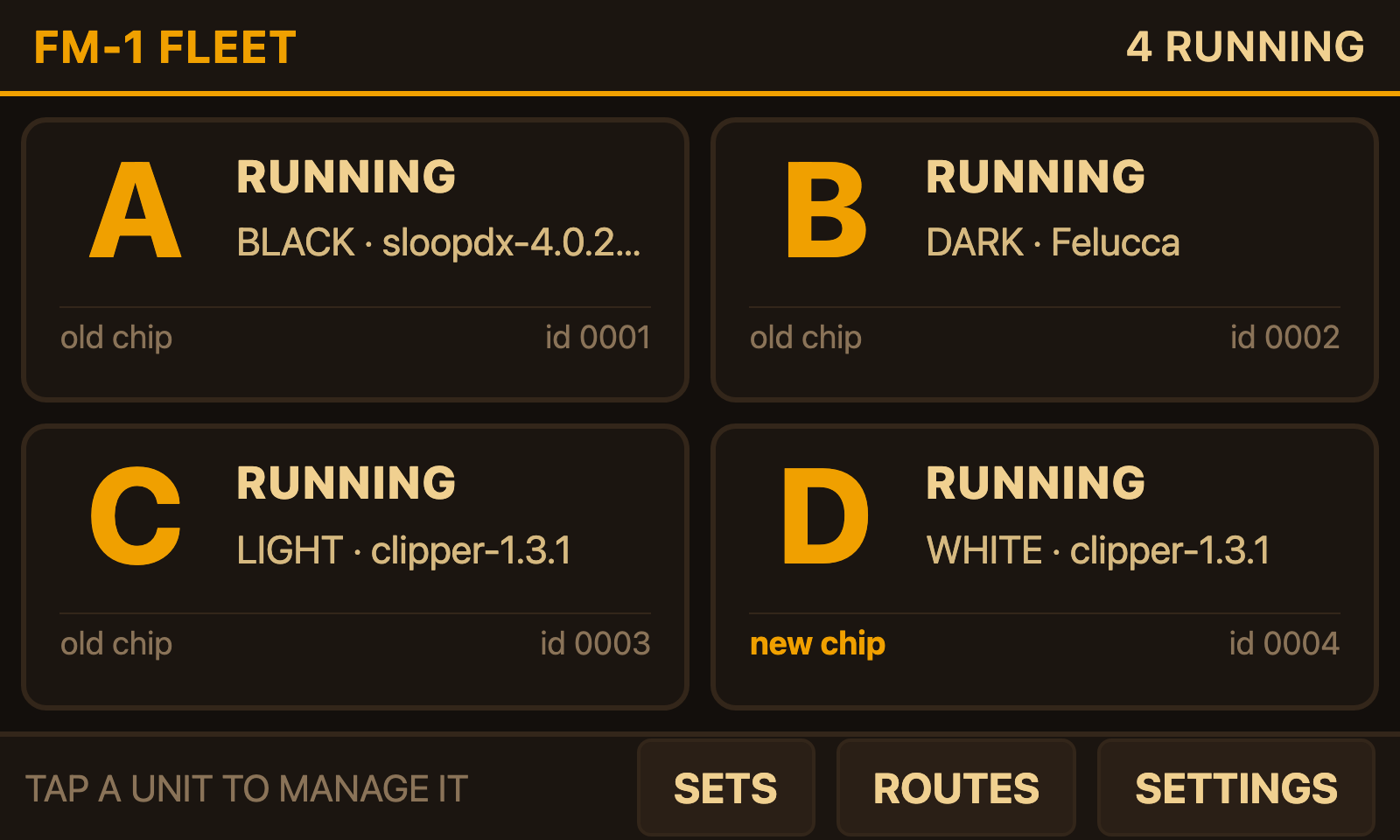
Raspberry Pi touchscreen box, also served to a phone, that installs community firmware on several FM-1s by flash id, backs each unit up before writing, and can route USB MIDI between them.
by jazzcat007
- Distribution
- Build from source yourself
- License notes
- Read in the repository's LICENSE file. m-flasher, which does every read and write, is a separate MIT-licensed program that the repository does not bundle.
- Source
- github.com https://github.com/jazzcat007/GigBox
- Homepage
- github.com https://github.com/jazzcat007/GigBox
- flasher
- utility
- usb-midi
- backup
- raspberry-pi
- midi-router
Description
The Pi drives m-flasher as a separate program and identifies each FM-1 by the factory id read from its flash chip while it is in download mode, because units on one USB hub look alike while running. A write goes only to the unit whose id was just read, needs two deliberate confirmations, takes an automatic backup first and is refused if the backup fails. Backups can be restored from the panel, and a unit left in download mode can be restarted. Firmware packages come from a local folder or from the catalog of The Firmware Hub, with the SHA-256 checked, and no firmware file is committed to the repository. An optional MIDI router connects the units' USB MIDI ports through the Pi with saved patches, per-route channel remap, filters and a panic button; it never writes to a unit's flash. The README calls it a bench tool used on one setup, a Pi 3B+ with a 5-inch panel and four FM-1s, not ready for general use. Registering a new unit, flashing several units and the firmware list are tested only with fakes, the udev port paths and panel timing are specific to that bench, and the web page is plain HTTP for a local network.
Install notes
Needs a Raspberry Pi running 64-bit Raspberry Pi OS Lite, the m-flasher package and a clone of the repository, installed with its setup.sh script and systemd services. The udev rule's USB port paths were measured on the author's hub and must be edited for another one. The README says to back up each unit first, and the tool does so before every write. It flashes .fwsc packages through m-flasher. A unit that stays in download mode can be restarted from the panel, and a backup can be restored from it.
Version history
| Version | Date | Notes |
|---|---|---|
| main @ b62ea3b | 2026-11-27 | No tagged releases; this is the latest commit, which adds guides for registering units, including after a cable or hub move, and for the MIDI hub. |
| main @ effa107 | 2026-11-25 | No tagged releases; this is the latest commit. |