FMER
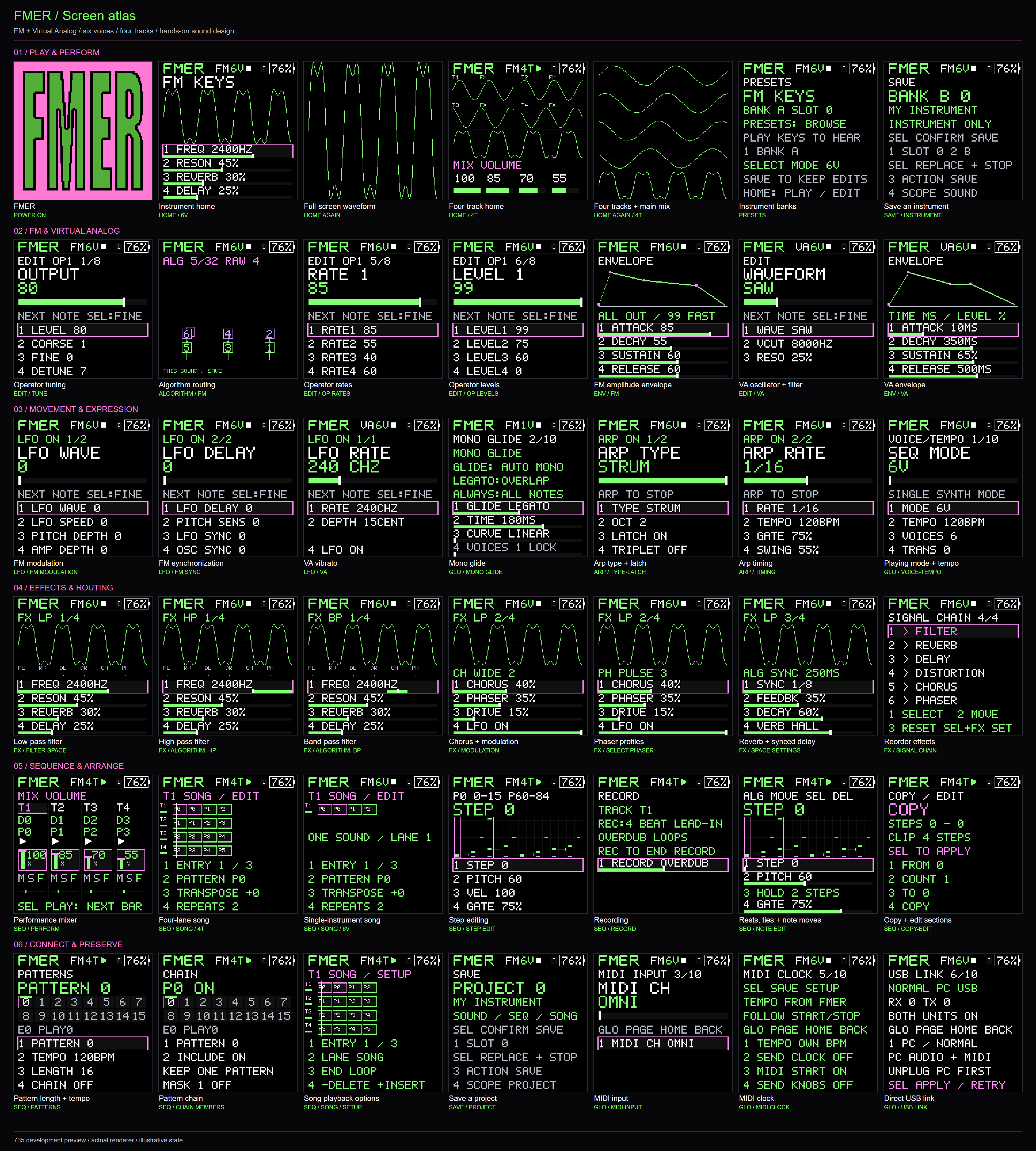
Firmware with six-operator FM and virtual analog engines, six-voice or four-track playing, two editable 64-instrument banks, effects, an arpeggiator and songs, installed through a Windows companion app.
by Nacsez
- Distribution
- Prebuilt image you flash yourself
- Requires stock
- V15, or V16 through Companion's separate guided migration
- License notes
- Original FMER firmware, Companion and default instruments are GPL-3.0-only (LICENSING.md). Felucca code is GPL-3.0-only, MSFA is Apache-2.0, and the V15 voice catalog keeps its Apache-2.0 terms. Third-party fonts, samples, vendor SDKs and toolchains are not relicensed.
- Source
- github.com https://github.com/Nacsez/FMER
- Homepage
- github.com https://github.com/Nacsez/FMER/releases
- synth-engine
- fm
- sequencer
- arpeggiator
- fx
- editor
- librarian
- flasher
Description
Uses Felucca for board support and the MSFA core for FM, with the SLOOP updater as the install path. It plays either as one six-voice synth, a one-voice glide synth, or as four mono parts, and holds 16 projects of 16 patterns each, with four song lanes. Effects are a reorderable chain of filter, reverb, delay, chorus, phaser and drive, shared across tracks. The 224 original instruments are grouped into five profiles that can be put into either bank. From build 736 two FMER units can exchange MIDI notes and clock over Bluetooth, and the unit keeps its working state in a startup checkpoint. FMER Companion is a portable Windows 10/11 x64 program that opens in the browser. It organises instruments, projects and backups, imports and exports DX7 data, and runs a guided firmware installer; it also carries 128 voices taken from M-VAVE's Apache-2.0 V15 data. The project calls its builds pre-1.0 test releases and does not take outside pull requests without permission.
Install notes
Extract the Companion ZIP from the release on a Windows 10/11 x64 PC, run FMER Companion.exe, connect one FM-1 over USB and use its Firmware page, which checks the memory layout and rejects unknown ones. Export a backup first; installing a profile replaces the sounds in that bank. For an original V16 unit the 736 notes describe a guided workflow that makes two matching full-ROM backups and archives V16 projects without converting them; the project says a direct hardware write from V16 to the final 736 image was not exercised. The .fwsc is also published on its own for other compatible installers, whose handling the project does not qualify. The app is unsigned. Saves from 735 do not downgrade to 733 or 734 without a migration.
Version history
| Version | Date | Notes |
|---|---|---|
| 736 | 2026-11-05 | Adds Bluetooth MIDI between two FMER units, a startup checkpoint that recalls the working state, 224 original instruments in five profiles and a guided V16 migration in Companion. |
| 735 | 2026-10-25 | Six-voice playing, a reworked 192-instrument library and a more reliable Companion start-up. |
| 734 | 2026-10-21 | First public release with the Companion app and 64 default instruments. |