FM-1 for iPhone
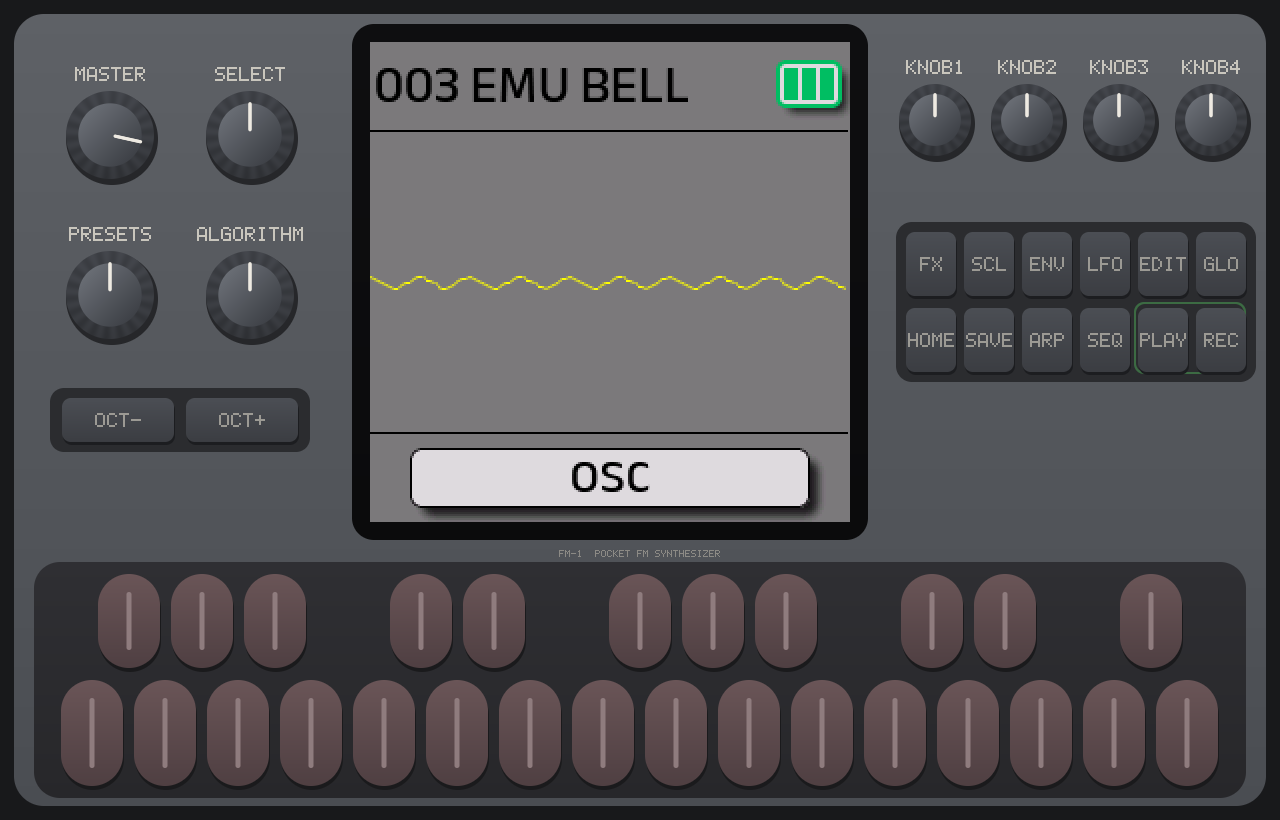
iPhone and iPad app that emulates the FM-1's chip, screen, keys and knobs and boots M-VAVE's unmodified V15 firmware or any .fwsc package you load, with MIDI input and saved flash. Its README is in French.
by pjac1810
- Distribution
- Build from source yourself
- Requires stock
- Bundles M-VAVE's V15 (FM-1_015.fwsc from m-vave/fm1_open)
- License notes
- The repository has no top-level licence file and the README does not license the app's own Swift code. The emulation engine under emu/ is MIT (Copyright 2026 Joakim Eriksson, fm1-emu). App/Resources/Firmware/FM-1_015.fwsc is M-VAVE's licensed V15 recovery image from m-vave/fm1_open (Apache-2.0, git blob ce49cc1595b67347c68a3ac7463017f9fa8c19dd, 699,956 bytes), and the repository carries M-VAVE's THIRD_PARTY.md beside it. The git blob hash of the bundled file matches. It is the only stock file in the repository.
- Source
- github.com https://github.com/pjac1810/fm1-ios
- emulator
- ios
Description
The app runs the FM-1's two-core JieLi chip in software, with a touch panel for the 27 keys, 14 buttons, seven encoders and MASTER knob. It starts on the bundled V15 package and installs other .fwsc files from Files, AirDrop, Mail or a web address, keeping each firmware in a list with its own flash memory; the README names M-VAVE's updates, FM1 Open, Felucca, X0X and SLOOP as examples. It imports DX7 .syx banks, reads and writes .fm1save backups shared with the browser emulator, and takes MIDI from hardware keyboards, Bluetooth, the network and a virtual FM-1 port. Because iOS does not allow generated code, the CPU is interpreted; the README gives a measured speed of about real time on a server core and says it is untested on a real iPhone. The Swift code was not compiled when the README was written. The USB-MIDI and Bluetooth MIDI device roles, MIDI out, the speaker, the battery and key velocity are not emulated. The hardware core is Joakim Eriksson's fm1-emu with small changes. You build the app with Xcode on a Mac.
Install notes
Needs a Mac with Xcode, Rust and XcodeGen: run build.sh (or setup-mac.sh for a one-step setup), open App/FM1.xcodeproj, choose your signing team and run it on a device. A free Apple ID works but the app must be reinstalled every seven days. Firmware loaded in the app runs in the emulator only and nothing is written to a real FM-1.
Version history
| Version | Date | Notes |
|---|---|---|
| main @ 629ed56 | 2026-10-29 | No tagged releases; this is the latest commit. |