FM1 Clock
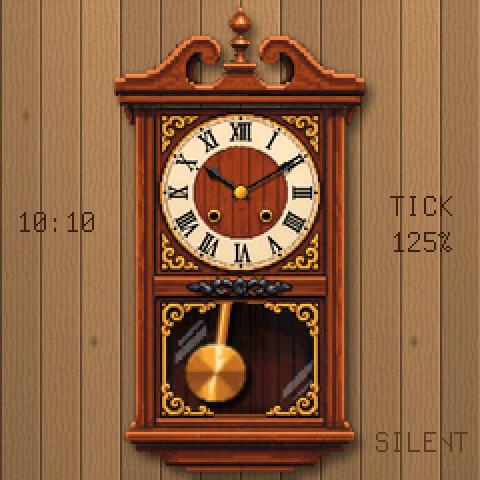
Clock for the FM-1: a pendulum wall clock and a cuckoo clock that strike the hours with bells rebuilt as FM synthesis of about four hundred operators.
by joakimskurk
- Distribution
- Browser installer (WebMIDI / WebUSB)
- License notes
- LICENSING.md gives GPL-3.0-only, as Dinghy, with Felucca, SLOOP and OberVave platform code under their own notices. The Terminus font is SIL OFL 1.1. Only measurements of the clock recordings are in the repository.
- Source
- github.com https://github.com/joakimskurk/fm1clock
- Homepage
- joakimskurk.github.io https://joakimskurk.github.io/fm1clock/
- synth-engine
- fm
- ui
- utility
Description
Turning ALGORITHM switches between the two clocks, which keep one time from the crystal. The wall clock ticks every half second and strikes the hours on a gong modelled from a recording taken apart into 742 modes, and the cuckoo clock opens a door, shows a bird and calls on two FM pipes. All sound is synthesised and no recording is included. SELECT and PRESETS set minutes and hours, the key lights follow the pendulum or flash the hour, and MIDI CC 20 to 22 set the time from a computer. The unit has no battery-backed clock, so it starts at 10:10 each time. It is a Dinghy 0.5 app from the same author as RoboSeq, SkurkyMello and Star Distroyer. The README calls it 0.1, tested in CI, the emulator and on a computer and not yet tried on a real FM-1. The ENV key winds the cuckoo clock by hand. The project page installs it from the browser and runs the firmware in the page.
Install notes
Use the installer on the project page (Chrome or Edge over USB), or build with the Makefile and JieLi's toolchain, then install build/fm1clock.fwsc over USB-MIDI with tools/fm1_install.py or through the Firmware Hub. A package from a CI run can be tried in the fm1-emu browser emulator. Holding OCT- while switching on reaches the USB rescue.
Version history
| Version | Date | Notes |
|---|---|---|
| ccr-8fc2946b-9il8uc @ 931dfac | 2026-11-19 | No tagged releases; this is the latest commit on the default branch. Since the 2026-11-08 commit it adds a live calibration script, tools/calibrate.py, that measures the clock against the computer over MIDI channel 16 and sets a trim in crystal ticks, and release workflow changes so a tagged build tests the release's own bytes and the page offers the release. Before those it added a project page with a browser installer and a build of the clock that runs in the page, redraws the cuckoo clock, makes ALGORITHM switch one clock per turn and brings ENV back to wind the cuckoo clock. |