CRITICAL
Original firmware in which a model of a nuclear reactor makes the sound: sixteen fuel channels under the white keys, xenon poisoning, a void coefficient, an AZ-5 scram and a plant of noises, installed through m-bootloader.
by isod89
Brick risk. Flashing this carries a known, documented risk of damaging the device.
- Distribution
- Browser installer (WebMIDI / WebUSB)
- Requires stock
- m-bootloader installed first
- License notes
- The README states GPL-3.0 and LICENSE is the GPL v3 text with no later-version statement. The README says no code of m-bootloader, M-Flasher or the toolchain is included, and the installer page follows m-bootloader's MIDI mode protocol as its specification describes. Fonts are SIL OFL 1.1.
- Source
- github.com https://github.com/isod89/critical-fm1
- Homepage
- isod89.github.io https://isod89.github.io/critical-fm1/
- synth-engine
- generative
- experimental
- drone
- fx
- performance
Description
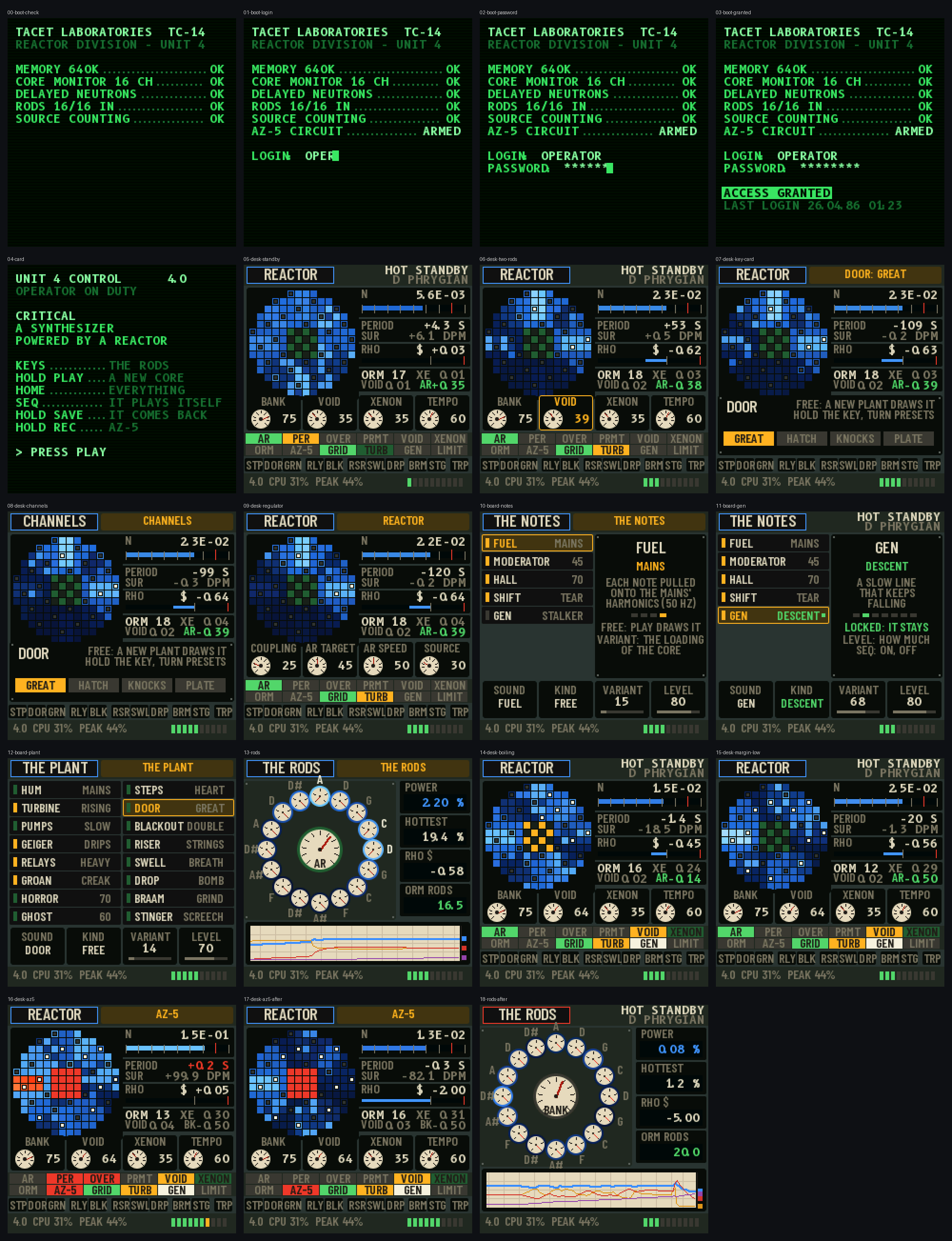
Each of the sixteen white keys is a small reactor channel with delayed-neutron groups, fuel temperature, steam and xenon, tuned to a chosen key and scale. Channels sound as counts at low power, then grains, then a tone that brightens with power, and a regulator keeps total power steady so raising one channel lowers the others. Holding REC runs the AZ-5 scram, and with high steam the core can run away. Black keys trigger plant events, a hall replays six seconds of playing, GEN plays seven generated figures, and a 240 by 240 control-room screen shows the core map, power, period, reactivity, annunciators, rod dials and a pen recorder. Unlike most FM-1 projects it does not use the Felucca platform or JieLi's SDK: it has its own hardware layer and is built with an open pi32v2 LLVM toolchain. It needs m-bootloader installed first, and the installer page is a single HTML file.
Install notes
Open the installer page in Chrome or Edge, install m-bootloader once with M-UPGRADE or M-Flasher as the page explains, back up the whole 1 MB flash to a file, then install CRITICAL through m-bootloader's MIDI mode, which writes the application area. The README says a damaged or interrupted install opens the bootloader's recovery menu, with USB download mode available without opening the case, and that restoring the backup with M-Flasher or installing another firmware returns the unit.
Version history
| Version | Date | Notes |
|---|---|---|
| 4.0 | 2026-11-14 | Release with the installer page, audio demos and a video tape; the firmware is inside the installer. |