Capy
Keyboard instrument for a child of five to seven: nine named instruments, twelve animals on the keys, a band that follows chords the child picks, nine levelled games and four recordable songs.
by trapperl
- Distribution
- Prebuilt image you flash yourself
- License notes
- LICENSE is the GPL-3.0 text and LICENSING.md states GPL-3.0-only for the app (firmware/src/capy.c) and everything it inherits from Dinghy. The tunes are traditional melodies written out in the source. The committed capy.fwsc is the project's own build, not an M-VAVE stock image.
- Source
- github.com https://github.com/trapperl/capy-fm1
- performance
- chords
- drums
- sequencer
- game
- looper
Description
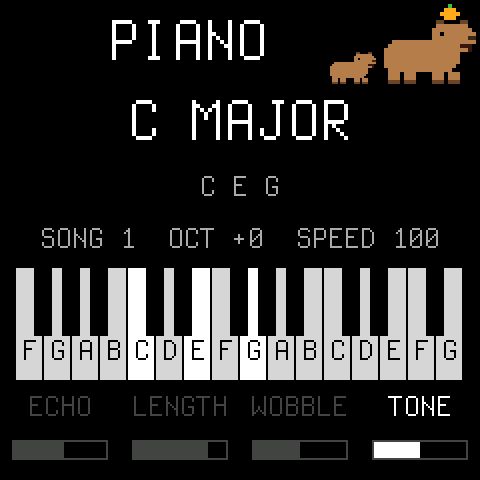
The screen names every note and chord played. PRESETS picks piano, organ, bells, guitar, bass, strings, brass, flute, a drum kit or ANIMALS, which puts an animal with its call, picture and name on each key. SEQ steps through a metronome and four bands (pop, blues, waltz, lullaby) that start with drums alone; one of the seven lowest white keys picks the chord and the bass and chords follow. SEL opens nine games (tunes, find the note, copy me, high or low, chords, join in, tap the rhythm, guess a note by ear and play a beat on the kit) that make up their questions and move up a level after five right answers. Four songs can be recorded in layers, and the home screen is a pond of capybaras. Holding HOME for three seconds sets a quieter volume for grown-ups. The README says it has run on one FM-1, installed over another community firmware, and that installing it over M-VAVE's own firmware has not been tried. A dinosaur theme (dino.fwsc, built with ./build.sh --theme dino) gives the same instrument and games with dinosaurs.
Install notes
Download the repository, install Python 3 with mido and python-rtmidi, connect the FM-1 by USB data cable and run python tools/fm1_install.py capy.fwsc. The installer shows the unit it found and asks before writing. The manual covers going back to M-VAVE's firmware and what to set before handing the unit to a child.
Version history
| Version | Date | Notes |
|---|---|---|
| main @ e6827de | 2026-11-20 | No tagged releases; this is the latest commit, which adds a dinosaur theme, dino.fwsc, with the same instrument and games. Before it, a commit changed the kick and toms so a small speaker tells them apart and keeps HOME at the pond screen. |