Beiwagen
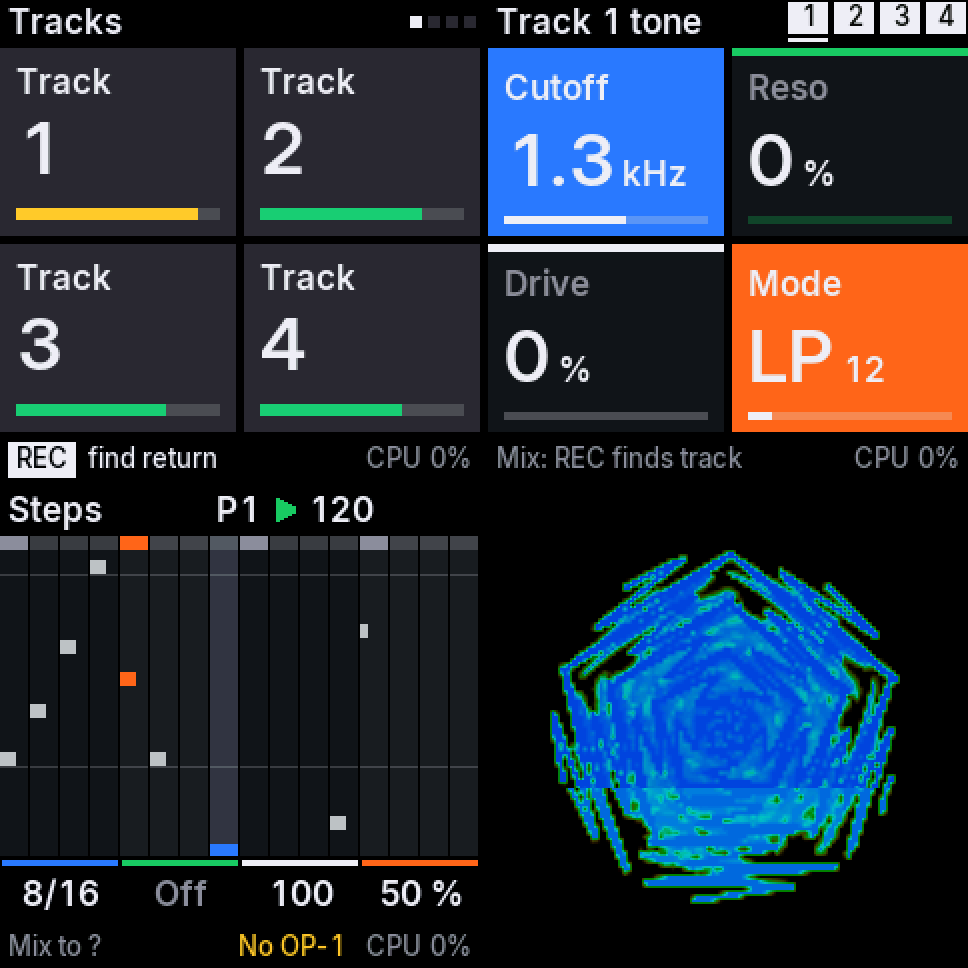
Turns the FM-1 into a USB sidecar for the teenage engineering OP-1 Field: the OP-1's four tape tracks arrive as stereo pairs, a chosen pair returns to the OP-1 as its USB input, and the keys play the OP-1 over USB-MIDI.
- Distribution
- Browser installer (WebMIDI / WebUSB)
- License notes
- The LICENSE file and README state GPL-3.0 only. LICENSING.md lists the inherited parts: FM1_AudioBase and GATOR (GPL-3.0-only), Felucca's platform code and the web install protocol from SLOOP (GPL-3.0-only), the Inter and Terminus fonts (SIL OFL 1.1) and three unmodified JieLi AC79 SDK files kept in tools/sdk (Apache-2.0), including uboot.boot, cfg_tool.bin and eq_cfg_hw.bin. They are not M-VAVE images.
- Source
- github.com https://github.com/DPangerl/beiwagen
- usb-audio
- usb-midi
- mixer
- sequencer
- arpeggiator
- fx
- utility
- fork
Description
A fork of FM1_AudioBase that uses the OP-1 as USB host. In the OP-1's USB mode 8 its four tape tracks reach the FM-1 as four stereo pairs at 44.1 kHz, KNOB1 picks the pair that plays on the FM-1 and goes back to the OP-1 to be recorded onto another tape track, and the keys send notes over USB-MIDI. The README separates what it tested on an FM-1 with an OP-1 Field on firmware 1.7.3 (those three functions and a diagnostics page) from what is built but untested on hardware: a four-track mixdown with a filter and drive insert and shared delay and reverb sends, a sequencer of 27 patterns with an arpeggiator and MIDI clock sync, and presets stored on the keys. Modulation and synths of its own are listed as planned. It works with an OP-1 Field only.
Install notes
Install from the FM-1 Firmware Hub in a browser, over M-VAVE's firmware or other community firmware; the hub also goes back to the official firmware. A build of your own is described in BUILDING.md. While the update is written the FM-1 shows an update screen and should not be unplugged. The README warns that a failed or interrupted install can leave the unit unable to start until it is recovered with a USB tool, and that installing is at your own risk.
Version history
| Version | Date | Notes |
|---|---|---|
| 0.2 | 2026-11-16 | First Beiwagen release; OP-1 tape tracks in, a return to the OP-1 and keys over USB-MIDI tested, mixdown and sequencer built but not yet tested on an FM-1. |