OpenGP5 Launchpad
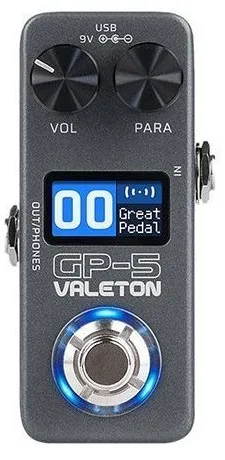
Desktop app for the Valeton GP-5 that flashes OpenGP5 firmwares or Valeton's own, loads NAM captures, edits presets, and backs up and restores the pedal. Bundles Dreamcatcher, NAM Loader and a tuner.
Brick risk. Flashing this carries a known, documented risk of damaging the device.
- Distribution
- Prebuilt image you flash yourself
- Requires stock
- Valeton firmware V1.0.6 for stock presets and mods
- License notes
- The LICENSE file is MIT. Fonts are SIL OFL and icons are MIT, according to the README. The repository commits the built OpenGP5 firmware images it bundles (GP-5_dreamcatcher.bin, GP-5_nam-player.bin, GP-5_tuner.bin), which come from catalogued OpenGP5 projects and contain no Valeton code.
- Source
- github.com https://github.com/OpenGP5/Launchpad
- flasher
- editor
- backup
- nam
- presets
- usb-midi
- desktop
Description
Launchpad is an Electron app that talks to the GP-5 over USB-MIDI. Its Flash page writes the firmwares it bundles (Dreamcatcher 1.4.0, NAM Loader 1.3.1 and a strobe tuner demo), OpenGP5's firmware catalog, a build chosen by the user, or Valeton's firmware, and checks each image before writing. Other pages send NAM captures to the 30 capture slots and 12 IR slots of NAM Loader, edit and rearrange the 8 Dreamcatcher presets, and browse and edit the 100 stock presets on Valeton firmware V1.0.6 with live audio feedback. A backup page saves the installed firmware's data to one file and restores it onto the same firmware, and a mods page patches the user's own copy of Valeton's firmware, with undo. No Valeton code is bundled; the app downloads Valeton's V1.0.6 file from Valeton's site on request and accepts only that exact version. The README calls it alpha and says it is not affiliated with Valeton.
Install notes
Download the .dmg, Windows installer or zip, or Linux AppImage or deb from the release page; the builds are unsigned, so macOS and Windows show a warning the first time. It can also be run from source with Node.js 20 or later. Flashing from the app follows the same recovery as OpenGP5: unplug the pedal, hold the foot switch and the PARA knob while plugging it in, and flash again. OpenGP5's documentation says some failures, such as a stalled DSP update, need an FT232H adapter on the internal debug pads. Installing a firmware wipes the previous firmware's stored data, so use the backup page first.
Version history
| Version | Date | Notes |
|---|---|---|
| v0.4.0 | 2026-11-26 | Adds input and output levels for NAM Loader 1.4, levels IRs to match captures played without one, and connects to a pedal over Bluetooth MIDI for editing, presets and backups. |
| v0.3.0 | 2026-11-20 | Redesigns the Tones page for NAM Loader 1.3 with one list of captures and IRs, play-on-pedal, rename, replace and gate and EQ controls, and retries a MIDI service that is not ready at start-up. Bundles Dreamcatcher 1.4.0 and NAM Loader 1.3.1. |
| v0.2.0 | 2026-11-20 | Works with any OpenGP5 firmware, with a Live settings page, backups, the firmware catalog and a developer page for firmware authors. Adds NAM Loader 1.3's cab IR bank and Dreamcatcher 1.4's tempo sync. |
| 0.1.0 | 2026-11-16 | First release, with desktop builds for macOS, Windows and Linux. |