GP-200 Global Tap Tempo
An 11-byte patch for the GP-200's V1.8.2 firmware that makes a tapped tempo global, so the BPM survives patch changes and power cycles, applied to your own copy of Valeton's image by a small Windows app or a Python script.
by dkzT
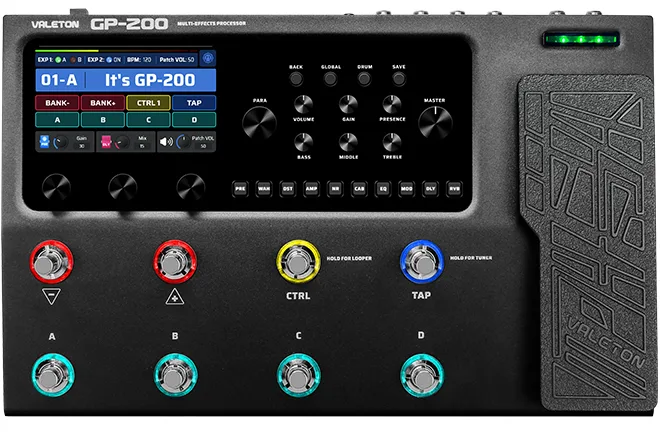
- Distribution
- Patches a stock file you supply
- Requires stock
- GP-200 firmware V1.8.2 (the official file from Valeton)
- License notes
- The LICENSE file is MIT and, as the README says, does not cover Valeton's firmware, which is not in the repository.
- Source
- github.com https://github.com/dkzT/gp200-tap-tempo-global
- patcher
- tap-tempo
- reverse-engineering
Description
On the stock firmware each patch stores its own BPM, so a tempo tapped on one patch is replaced by the saved value when you change patches. The patch redirects the load and tap code to the global BPM field that already exists in the pedal's global settings, so one tapped tempo applies to every patch and is kept after power-off. The delay follows it only when its Sync parameter is on, and saving a patch writes the current global BPM into it. TapGlobalPatcher.exe accepts only the official V1.8.2 file, checked by size, SHA-256 and header, applies the patch, recalculates the header checksum and saves a new file only when the result matches the expected hash. The repository does not contain Valeton's firmware or a modified image; it holds the app source, a Python script, the reverse-engineering notes and Ghidra scripts. The README reports a test on a real GP-200 and states that the project is independent of Valeton.
Install notes
Download the official V1.8.2 firmware from Valeton, drag the .bin into TapGlobalPatcher.exe from the release page (or run scripts/make_patch.py), and flash the generated file with Valeton's GP-200 app under Settings, Firmware Update. Back up patches first, because an update erases them. The executable is built by GitHub Actions with a checksum and a provenance attestation, and is not code-signed, so Windows SmartScreen may warn. If the pedal does not start, hold footswitches 2 and 3 and the Para knob while powering on to enter the resident Firmware Update/Restore mode and flash the official firmware.
Version history
| Version | Date | Notes |
|---|---|---|
| v1.3.0 | 2026-11-26 | Adds an optional fast patch change, on by default, that cuts the fade-in after a preset switch from 113 ms to 9 ms; the project credits GP-200 Patcher for the location and value. Tapping and the global BPM knob no longer mark the preset as edited. |
| v1.2.0 | 2026-11-24 | Adds English and Portuguese interfaces to the app. |
| v1.1.0 | 2026-11-24 | New app interface that checks the dropped file straight away. |
| v1.0.0 | 2026-11-23 | First release for V1.8.2. |