Ferret
Tool for OP-XY and OP-1 Field (Teenage Engineering)
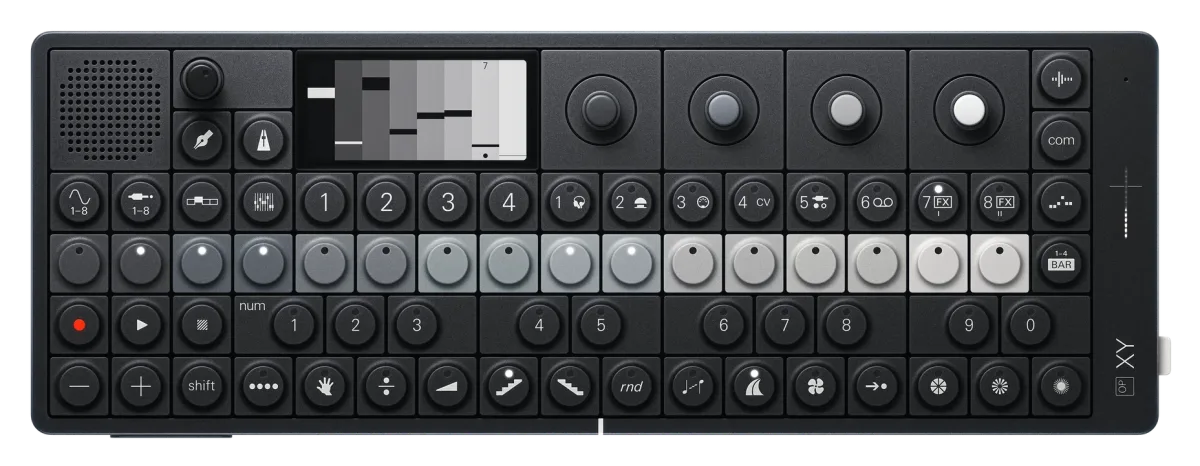
Browser pages that switch on the hidden dev menu in the bootloader of an OP-XY or OP-1 Field, over USB MIDI with SysEx while the unit is held in its boot menu. The same repository holds a TX-6 firmware key reader. No firmware is flashed to these two devices.
- Distribution
- Browser installer (WebMIDI / WebUSB)
- Requires stock
- OP-XY firmware 1.2.1 or earlier; OP-1 Field up to 1.7.3+1
- License notes
- The licence covers the repository's code; Teenage Engineering's firmware and keys are not included.
- Source
- github.com https://github.com/bagofwaffles/ferret
- Homepage
- bagofwaffles.github.io https://bagofwaffles.github.io/ferret/
- research
- web-midi
- sysex
- usb-midi
- utility
- web
Description
Rights warning: the repository also contains a tool for the TX-6, which is not in this catalog. It reads the unit's AES key and derives a second key from the user's own official update file, using a ciphertext patch appended to that file; the README says the second key also decrypts OP-Z and older OP-1 Field firmware. No keys or firmware are stored in the repository. The OP-XY and OP-1 Field pages send te-boot console commands, including a challenge read live from the unit, so that te-boot writes its own dev marker. The README says there is no way to read the setting back, so the unit's screen is the confirmation, and that the dev menu has destructive items such as a factory reset and writing the OS to the boot partition. The OP-1 Field page is marked as confirmed on hardware. The OP-1 original is not covered. The README says the OP-XY dev mode works only on firmware 1.2.1 and earlier, since 1.2.5 removed it, and names OP-1 Field 1.7.3+1 as the latest confirmed firmware.
Install notes
Use Chrome or Edge on a desktop. Power the unit off, hold COM while powering on and connect USB so it stays on the te-boot menu, then follow the wizard on the OP-XY or OP-1 Field page. Do not press track 1 for upload firmware, which drops the MIDI port. Turn dev mode off from the same page.
Version history
| Version | Date | Notes |
|---|---|---|
| main @ b6ca2cc | 2026-11-21 | No tagged releases; this is the latest commit. Adds firmware compatibility notes to the README and each page. The OP-XY dev mode works on firmware 1.2.1 and earlier only, the OP-1 Field is confirmed up to 1.7.3+1, and the TX-6 reader up to 1.3.3. |
| main @ 99d30a2 | 2026-10-21 | No tagged releases; this is the latest commit. |