te-op1
Tool for OP-1 Field (Teenage Engineering)
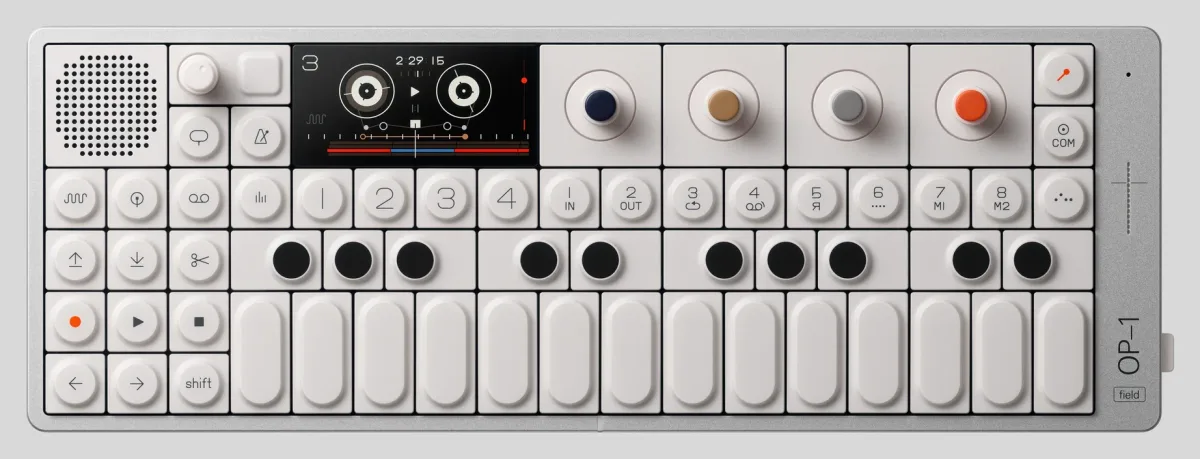
Patch file format reference for the OP-1 Field with mondo, a C toolkit that dumps, builds, checks and sorts patch files and backs up or restores the device on Windows, Potion, a Windows desktop app for the same jobs, plus a web patch library and editor.
- Distribution
- Prebuilt image you flash yourself
- License notes
- LICENSE applies PolyForm Noncommercial 1.0.0 (source-available, not open source): use, changes and sharing for noncommercial purposes; commercial use needs a separate licence from the author. raylib, raygui and cJSON keep their own licenses in THIRD_PARTY_LICENSES.
- Source
- github.com https://github.com/jstnfst/te-op1
- Homepage
- te-op1.pages.dev https://te-op1.pages.dev/
- research
- converter
- editor
- librarian
- web
Description
Documents the OP-1 Field preset .aif format and its knob layouts, and ships mondo, a single-source C program with subcommands to dump a patch to JSON, build a loadable .aif from JSON, test a file against the format, diff two patches, tag and sort them, and wrap audio as a sampler patch. On Windows, mondo can also copy files to a connected OP-1 and pull or push a full device project folder. Potion, a Windows desktop app that grew out of mondo's GUI, does this without a terminal in six tabs for projects, a patch editor, packs, transfers between archive, project and pack folders, mixdowns and search, and runs mondo for backups and restores. The same repository contains the source of a web patch library and in-browser patch editor. Written against OP-1 Field firmware 1.7.3, so it targets the OP-1 Field rather than the original OP-1.
Install notes
On Windows, unzip the Potion release anywhere and run potion.exe with mondo.exe beside it; the app is unsigned, so SmartScreen may warn. Or build mondo with build.bat (MSVC) or the repository's master-control.sh build script, and Potion with desktop/build.bat. The device-copy and backup subcommands are Windows only; the OP-1 Field appears over USB as an MTP device.
Version history
| Version | Date | Notes |
|---|---|---|
| v0.1.0 | 2026-10-31 | First public build of Potion, with mondo.exe beside it; six tabs for projects, editing, packs, transfer, mixdowns and search. |