SonicMaster
Tool for Pocket Master and Smart Box (Sonicake)
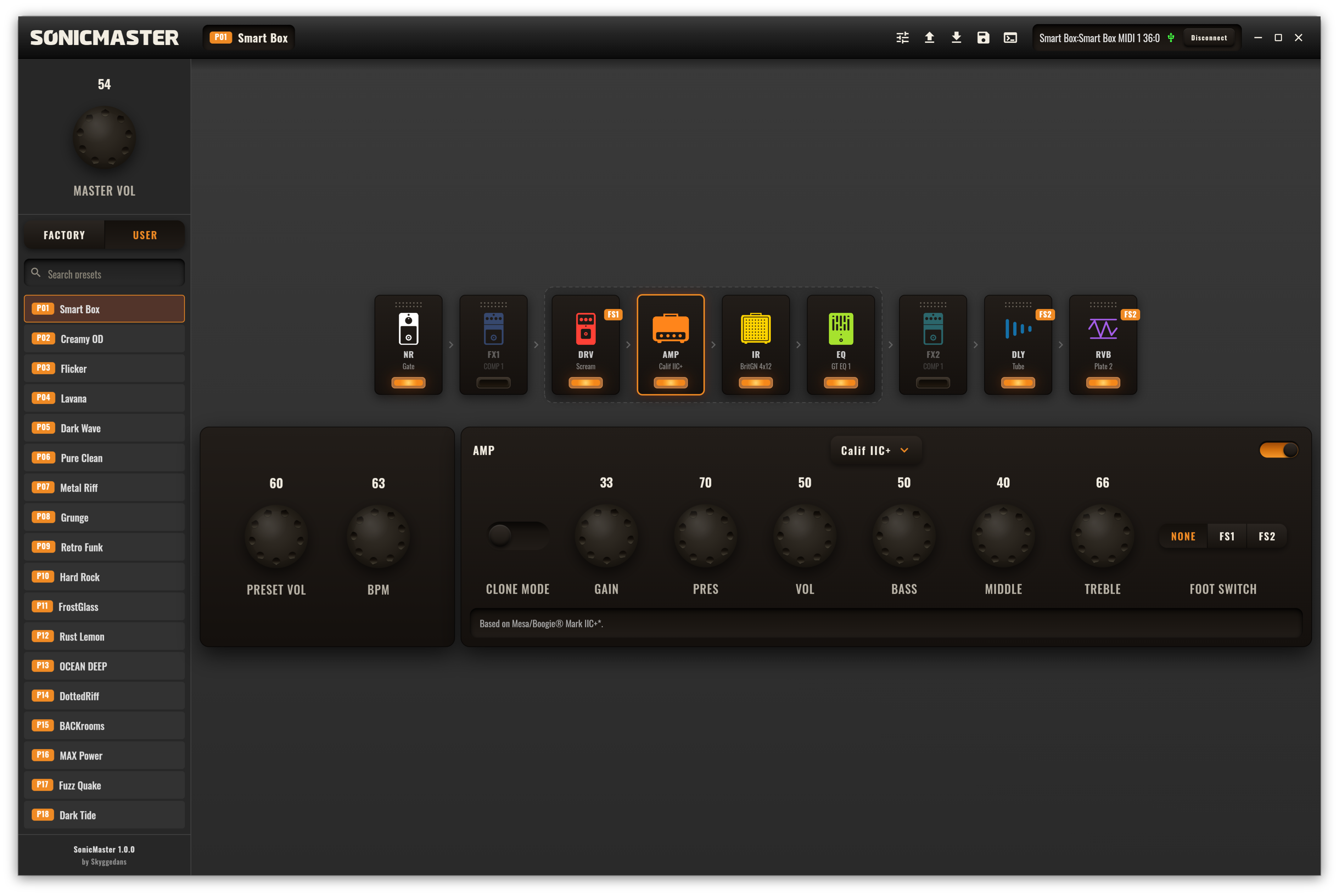
Desktop and browser preset editor for the Pocket Master and Smart Box over USB-MIDI or Bluetooth, with two-way sync, footswitch mapping and a NAM-to-clone-model importer.
- Distribution
- Browser installer (WebMIDI / WebUSB)
- Requires stock
- Pocket Master or Smart Box; the README names no firmware version
- License notes
- The bundled Oswald font is under the SIL Open Font License 1.1.
- Source
- github.com https://github.com/Skyggedans/SonicMaster
- Homepage
- skyggedans.github.io https://skyggedans.github.io/SonicMaster/
- editor
- midi
- web-midi
- bluetooth
- nam
- ir
- fx
Description
A Flutter app that edits the connected pedal live and reflects changes made on the pedal itself. It lists the 50 factory and 50 user presets, shows the signal chain with drag-to-reorder for the movable modules, swaps effect models per module, assigns modules to the two footswitches and sets per-preset tempo and volume. It also loads your own cabinet IR .wav files and converts Neural Amp Modeler .nam captures into the pedal's own clone-model format on your machine before uploading them to a user slot. It runs from the project's web page in Chrome, Edge or Opera, or as a Windows installer, Linux AppImage or tarball and macOS dmg. The README says it is mostly written with AI and that the author reverse-engineered the device protocol from Bluetooth and USB-MIDI captures. Not affiliated with Sonicake.
Install notes
Open the web app in a Chromium browser, or install the desktop build from the release page, plug the pedal in by USB or pair it over Bluetooth LE and press Connect. Safari does not provide Web MIDI or Web Bluetooth. Saving writes to the pedal's user presets, so export or note any you want to keep first.
Version history
| Version | Date |
|---|---|
| v1.0.10 | 2026-10-30 |
| v1.0.9 | 2026-10-17 |
| v1.0.8 | 2026-08-06 |
| v1.0.7 | 2026-07-26 |
| v1.0.0 | 2026-07-22 |