AssimiLXR
Firmware for Assimil8or (Rossum Electro-Music)
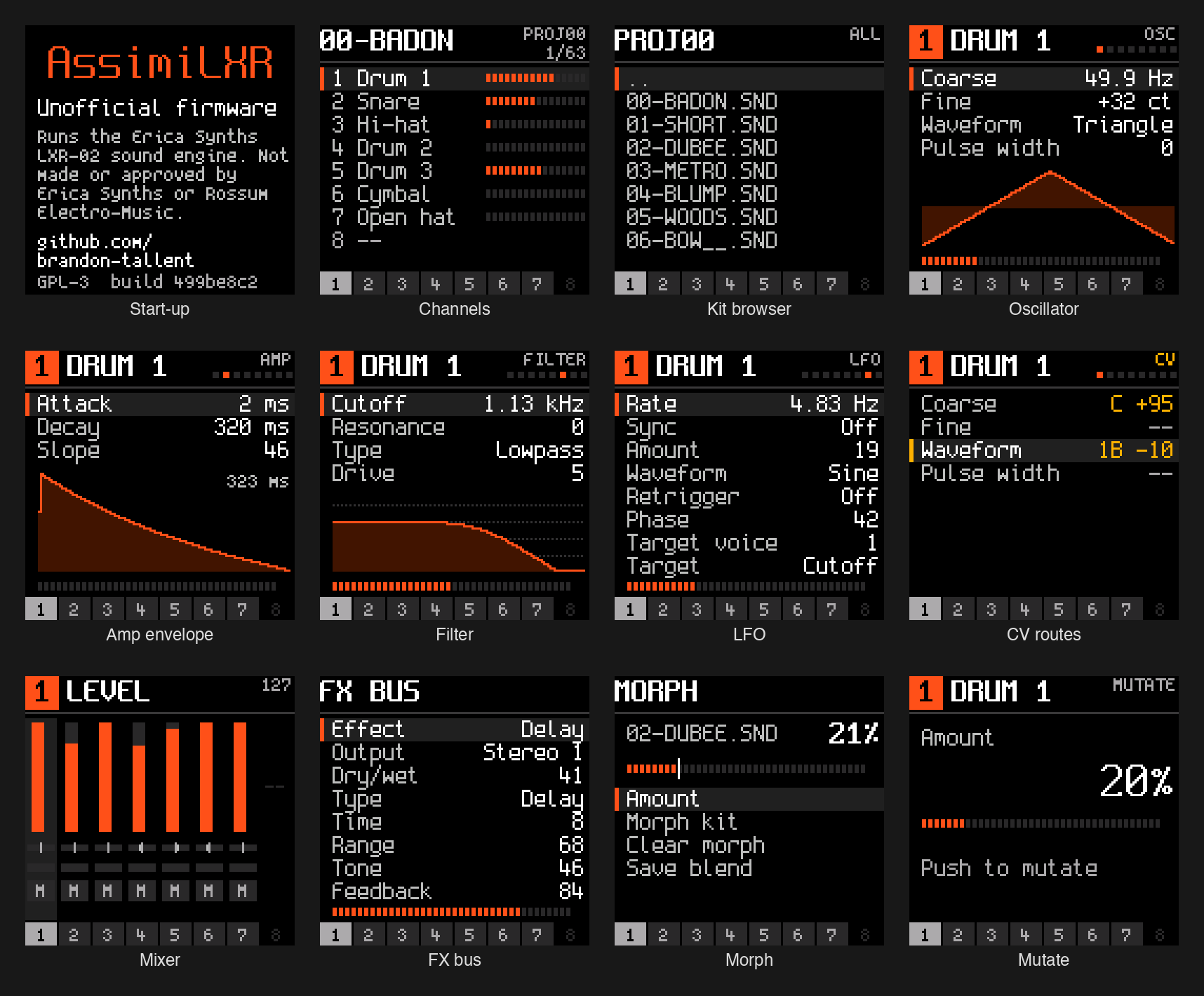
Replaces the Assimil8or's software with an eight-voice drum synthesizer that runs Erica Synths' LXR-02 sound engine, with LXR-02 kit loading, CV control of any parameter and a mixer and FX bus.
- Distribution
- Prebuilt image you flash yourself
- License notes
- The LICENSE file is the GPL v3 text and the README says "GPL-3.0" with no "or later". The LXR sound engine and interface code under src/engine/lxr and src/ui/lxr come from Erica Synths' lxr-desktop-app, GPL-3.0-only with section 7 terms in its NOTICE.md (trademark limits on the Erica Synths and LXR names). Third-party code (TI StarterWare, FatFs, CMSIS, Spleen font) keeps its own licences. The repository holds none of Rossum's software.
- Source
- github.com https://github.com/brandon-tallent/assimilxr
- Homepage
- brandon-tallent.github.io https://brandon-tallent.github.io/assimilxr/manual.html
- drums
- synth-engine
- eurorack
- cv
- midi
- kits
Description
Each of the eight channels plays one LXR voice (drum, snare, cymbal, closed or open hi-hat) on its own output, with its own sound, gate, 1 V/oct pitch and accent inputs. Kits in the LXR-02's .snd format load from the SD card, and AssimiLXR's own .kit format keeps all eight channels and can save a channel back to an LXR-02 kit. Each channel can morph between two kits from the panel, MIDI or CV, any of the 24 CV inputs can modulate any sound parameter in both directions, and the Sample inputs can pass external audio through the FX bus, which adds a reverb the LXR-02 does not have. Custom oscillator waves and transients load from the card, and the module answers the LXR-02's MIDI implementation as well as Chroma 8 and General MIDI drum notes, with MIDI clock for the LFOs and delay. The first start keeps a copy of Rossum's software on the card so it can be restored from the Utilities menu. The sound engine is Erica Synths' GPL source, built for the Assimil8or's board, and the project's remote protocol is the one used by the author's Assimil8or Tallent Edition.
Install notes
Copy the release's app file to the top level of a micro SD card, insert it in the front slot and run Utilities > Load Software, then restart as for a normal software update. Kits go in an AssimiLXR folder on the card. To go back, choose Utilities > Firmware > Stock firmware, which restores the Rossum software it kept on first start; leave AssimiLXR's app on the card to return with Load Software. The release gives a SHA-256 for the app file.
Version history
| Version | Date | Notes |
|---|---|---|
| v1.0.0 | 2026-11-12 | First release, build 499be8c2046edf98. |