MidiTracker
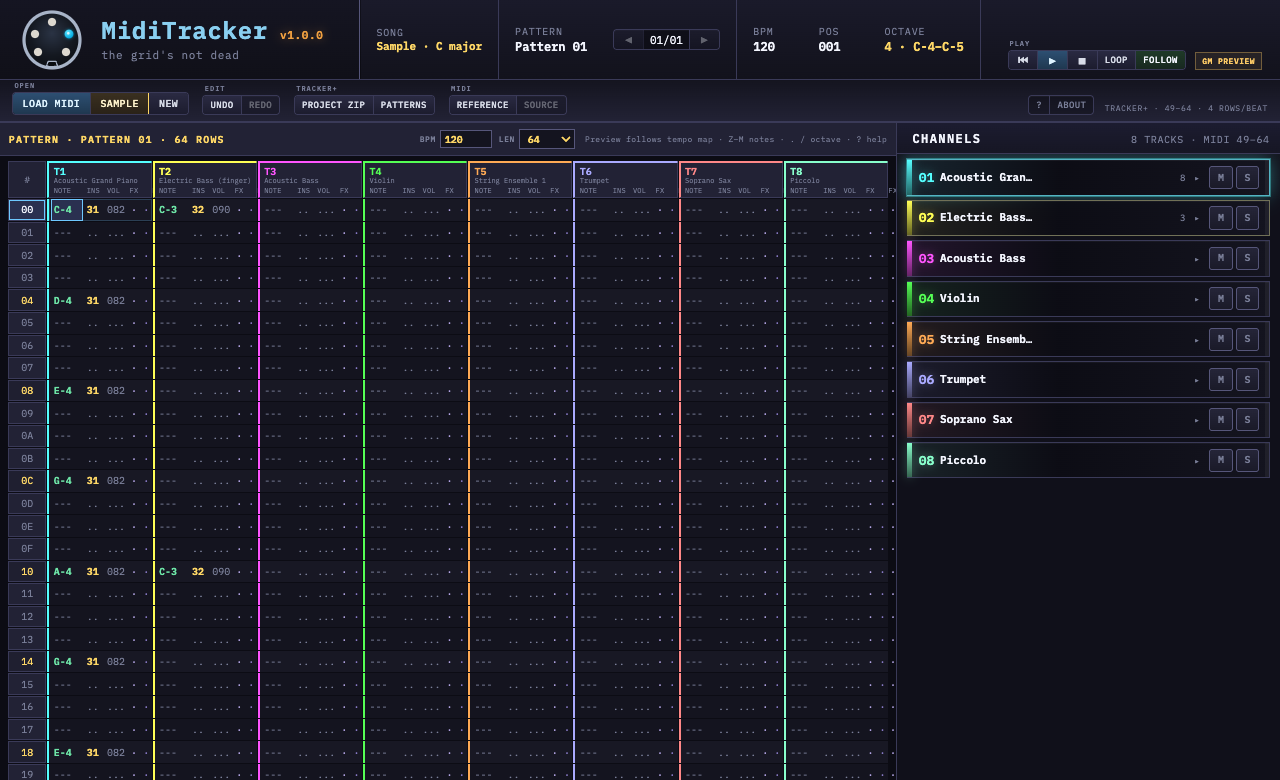
Browser app that imports Standard MIDI files, maps them onto eight Tracker+ tracks with tempo changes and CC and program change effects, lets you edit the grid and exports a Tracker+ project zip or .mtp patterns.
- Distribution
- Browser installer (WebMIDI / WebUSB)
- License notes
- The LICENSE file is MIT, copyright David Malcher. The MIDI files under fixtures/ are third-party content that the licence does not cover and that the fixtures README restricts to testing use.
- Source
- github.com https://github.com/david9up/miditracker
- Homepage
- david9up.github.io https://david9up.github.io/miditracker/
- web
- converter
- midi
- editor
Description
Rights warning: the repository bundles roughly 280 third-party MIDI files of game and other music under fixtures/, which its README says are for automated testing only and not to be redistributed as a collection.
Runs without a server. It quantises to four rows per beat, splits patterns at tempo changes, previews with a General MIDI SoundFont, and checks its output by reading it back with tracker-lib before download. It can also export the grid as MIDI for comparison with the hardware. The README names only the Tracker+ and describes eight-track mapping.
Install notes
Open the hosted app, load a .mid file, edit if needed and download the project zip, then unzip it into /Projects on the Tracker+'s SD card. To run it locally, use npm install and npm run dev.
Version history
| Version | Date | Notes |
|---|---|---|
| v1.0.1 | 2026-06-27 | Git tag; no GitHub release page. Shows full channel and pattern names. |
| v1.0.0 | 2026-06-27 | Git tag; no GitHub release page. First public release. |