M5MusicTab5
Firmware for M5Stack Tab5 (M5Stack)
Music app suite for the Tab5 with twelve touchscreen apps, including a sequencer, ear and chord trainers, a SoundFont piano, a MIDI recorder and player, a USB, Bluetooth and UART MIDI bus and a web flasher.
by Fangbrbr
- Distribution
- Browser installer (WebMIDI / WebUSB)
- License notes
- LICENSE is the MIT text, copyright 2026 Fangbrbr. The built-in General MIDI SoundFont is credited in the README as Florestan Basic GM GS; its own licence was not checked.
- Source
- github.com https://github.com/Fangbrbr/M5MusicTab5
- Homepage
- fangbrbr.github.io https://fangbrbr.github.io/M5MusicTab5/
- sequencer
- synth-engine
- sampler
- midi
- usb-midi
- performance
- game
- ui
- open-source
Description
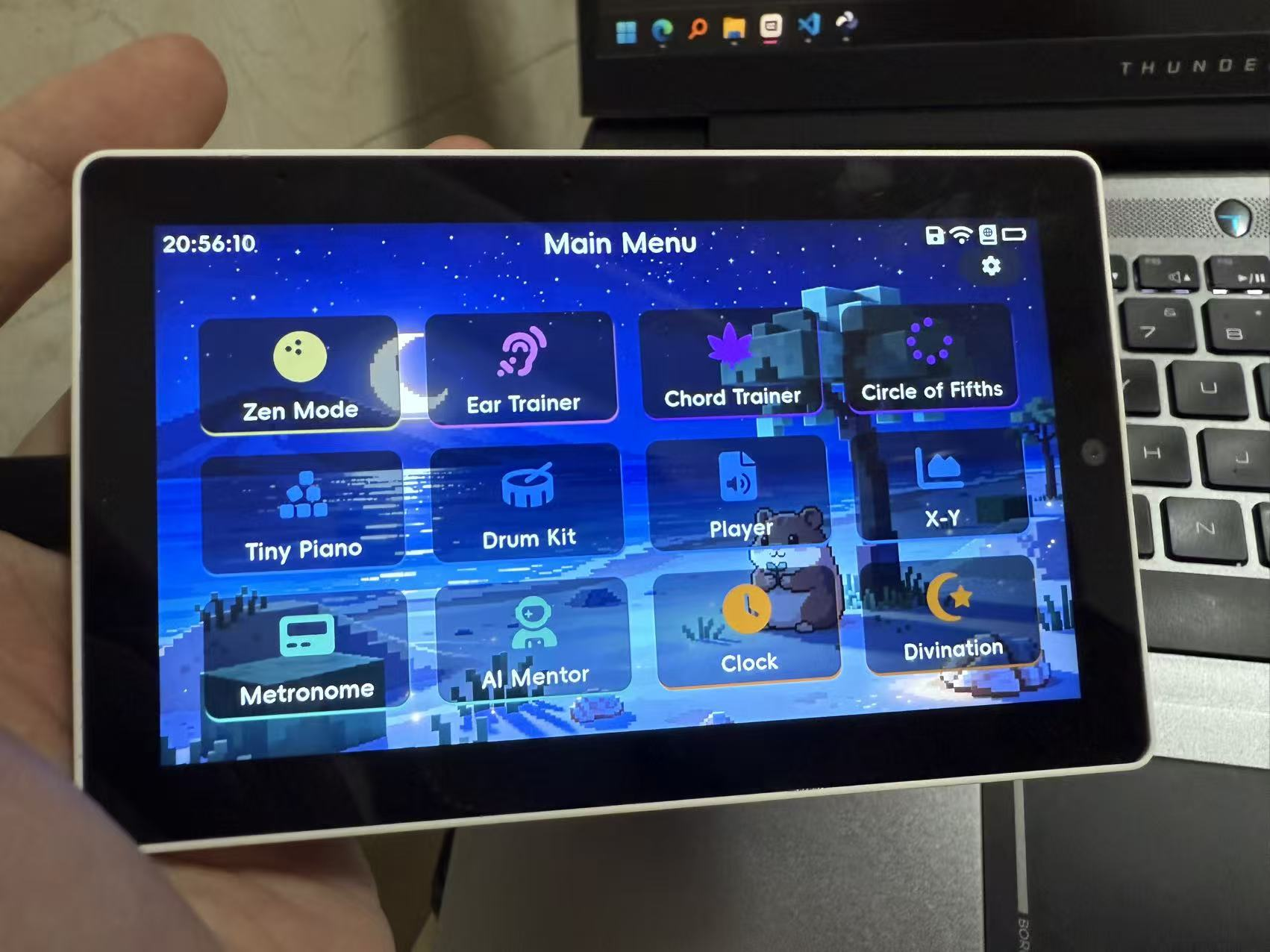
The firmware replaces the Tab5's factory software with ESP-IDF and LVGL screens in Chinese and English. The twelve apps are Zen Mode, Ear Trainer, Chord Trainer with a circle of fifths, Tiny Piano, Sequencer, a file Player, an XY pad, Metronome, a voice assistant, Clock and Calendar, a fortune-style Fun app and a Recorder. Notes are rendered from a built-in General MIDI SoundFont, or from .sf2 files on the microSD card. Performances can be saved as standard MIDI files, and a MIDI bus takes input from USB-A host devices, Bluetooth and UART. A built-in FTP server manages the card over the local network with fixed, plaintext credentials that the README says should stay off the internet. The voice assistant needs an online account with the Xiaozhi service.
Install notes
Flash from the web flasher, or download a release .bin and write it with esptool. The full 16 MB image goes to address 0x0 for a first install and resets settings. The app-only image goes to 0x10000 for upgrades and keeps them. The README says to use the full image again if a build will not boot. Flashing replaces the Tab5's factory firmware.
Version history
| Version | Date | Notes |
|---|---|---|
| v3.2.0 | 2026-11-14 | Latest release; the release page has flashing instructions only. |
| v3.1.0 | 2026-09-08 | |
| v3.0.0 | 2026-09-05 | |
| v2.0.0 | 2026-08-29 | Adds the bilingual interface. |
| v1.0.0 | 2026-08-11 |