fm1-card
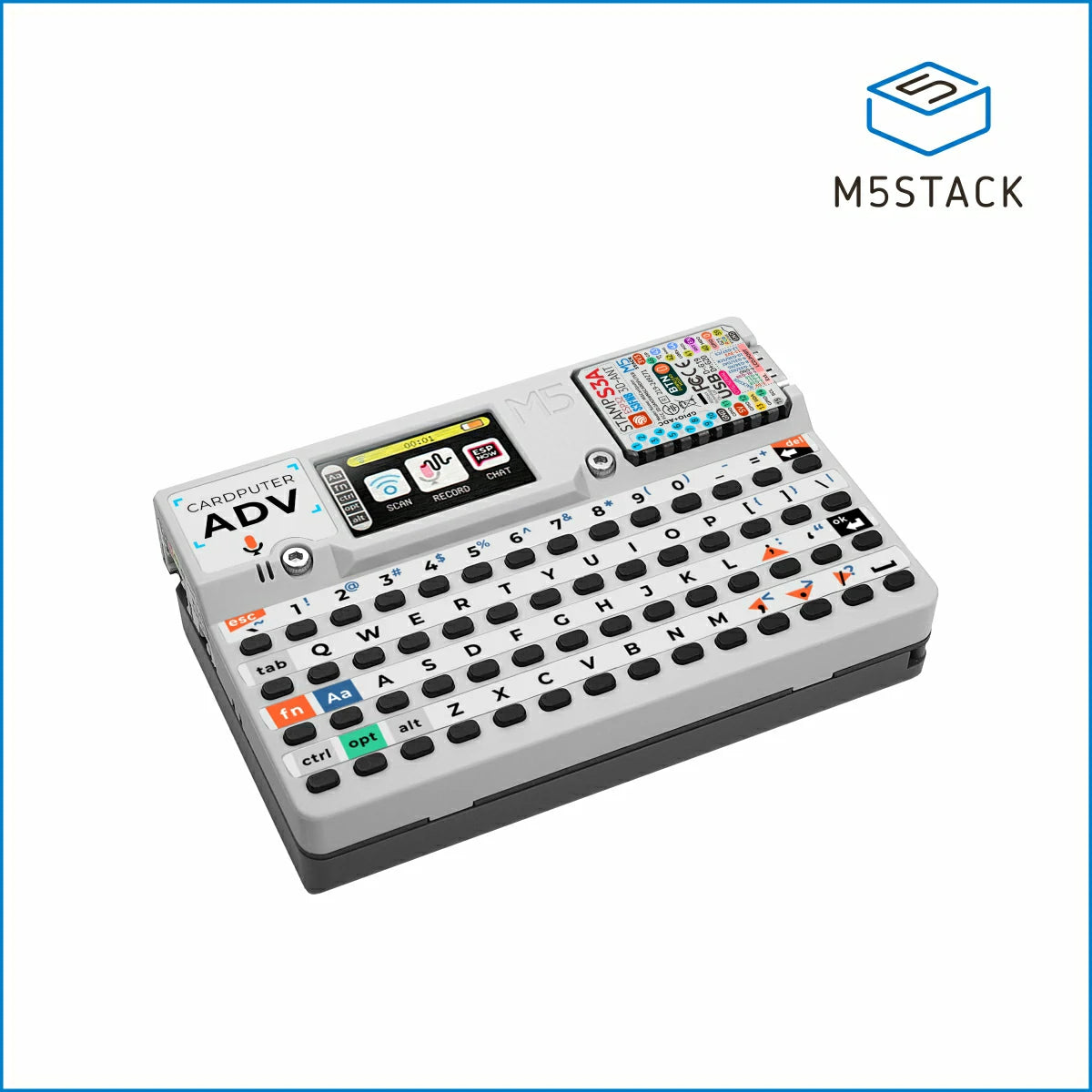
Firmware for M5Stack Cardputer (M5Stack)
Cardputer-ADV app that acts as a USB-MIDI host for M-VAVE FM-1 and SMK-37 units: it picks firmware packages from the Firmware Zoo catalog or an SD card, flashes them, routes MIDI and sends a clock. Early bring-up.
Brick risk. Flashing this carries a known, documented risk of damaging the device.
- Distribution
- Prebuilt image you flash yourself
- Requires stock
- M-VAVE FM-1 or SMK-37 to flash; Cardputer-ADV, a self-powered USB 2.0 hub and a microSD card
- License notes
- The README states GPL-3.0-or-later and LICENSE holds the GPL-3.0 text. The protocol and package knowledge is ported from fm1-grid (GPL-3.0). TinyUSB, lwjson and the bundled m-bootloader 2.4 files in data/ keep their MIT licences, listed in THIRD-PARTY.md.
- Source
- github.com https://github.com/jasonbot/fm1-card
- flasher
- midi
- usb-midi
- utility
- esp32-s3
- sd-card
Description
fm1-card is the handheld counterpart of the fm1-tty terminal tool in the FM-1 Firmware Zoo project, with the same firmware catalog and the same FM-1 update protocol, driven from the Cardputer's own USB port. Behind a self-powered USB hub it finds FM-1 and SMK-37 units and USB-MIDI keyboards, reads the Zoo catalog over Wi-Fi and caches packages on the microSD card, or uses .fwsc files copied to the card, and flashes a unit in normal mode, in rescue mode to a port that no longer answers the handshake, or through the chip's download mode. In download mode it can read a full flash backup to the card and write the open m-bootloader from the m-bootloader project into the boot area. Other panes route any USB-MIDI source to any set of sinks and run a 20 to 300 BPM clock at 24 PPQN to chosen devices. The interface is a text console on the 240 by 135 screen driven by the keyboard, with catalog cache, packages, backups and configuration kept on the card. The README calls the repository the initial implementation. The protocol layer passes host tests against the real catalog, and the firmware builds with ESP-IDF 6.1, boots and claims the USB port in host mode on a Cardputer-ADV. Hub power, real MIDI device enumeration and routing, and flashing an FM-1 are listed as remaining work. The Cardputer's USB-C port does not supply VBUS, so a powered hub is required.
Install notes
Download a release and write fm1-card-<version>-full.bin to address 0x0 with esptool after putting the Cardputer-ADV in download mode, or write the app image alone at 0x10000. To build from source instead, use ESP-IDF 6.1 (idf.py set-target esp32s3, then idf.py build) and write the bootloader, partition table and fm1-card.bin with idf.py flash or esptool. To reflash the Cardputer, turn its side switch off and hold G0 while connecting USB-C to enter ROM download mode. Once the app runs, the USB port is a host port and the serial console disappears. The Rescue bootloader step reads a full flash backup to /sdcard/fm1-card/backups/ and then rewrites the unit's boot area (0x0000 to 0x4000); the project calls the backup the way back, and the Firmware Zoo packages it flashes are the other part of the install. The status section says flashing an FM-1 has not been completed yet, so treat it as untested.
Version history
| Version | Date | Notes |
|---|---|---|
| v0.1.7 | 2026-11-24 | Adds a POST /theme request that sets and saves the palette's blue accent, serialises config writes so a malformed config is no longer overwritten with defaults, and adds colour conversion tests. |
| v0.1.6 | 2026-11-24 | Arrow keys accept bare punctuation as well as Fn plus punctuation, and glyph rendering and copy are fixed. |
| v0.1.5 | 2026-11-24 | A reworked top bar, tab strip and numbered menus, local packages in the flash picker in windows of 32, flashing straight from the Library's installed firmware, a fix for package size detection that read 3 KB images, and a fix for the ROM action in Rescue. |
| v0.1.4 | 2026-11-24 | Rebuild of the release image; the release notes name no changes. |
| v0.1.3 | 2026-11-23 | A device name that persists and is editable, and a catalog upload that loads a firmware manifest through the HTTP API or from the SD card. |
| v0.1.2 | 2026-11-23 | Wi-Fi setup on the Cardputer itself with a SYS tab, and a faster HTTP API with firmware upload and SHA-256 sidecars. |
| v0.1.1 | 2026-11-23 | Fixes a boot loop after downloading the whole catalog by limiting the local firmware scan to 64 files. |
| v0.1.0 | 2026-11-23 | First release, with a full-flash image and an app-only image for the Cardputer-ADV. |