smc-pad LED bridge and protocol notes
macOS bridge that lights the SMC-PAD's pads over Bluetooth from QLC+ feedback, with the Swift probes and notes that mapped the pad's MIDI layout and its LED colour protocol.
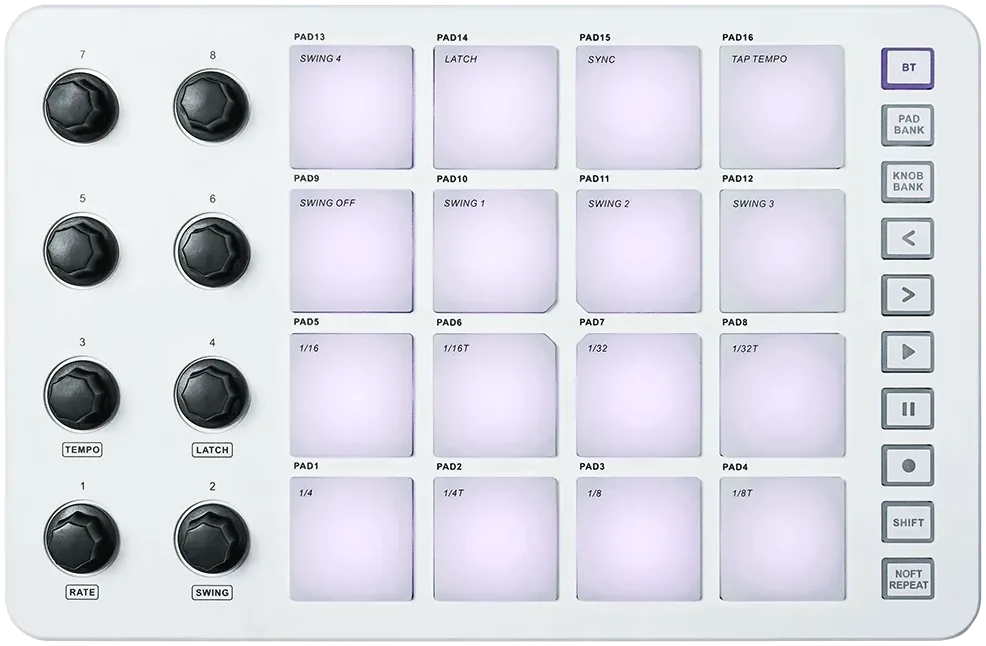
- Distribution
- Build from source yourself
- License notes
- Read from the LICENSE file. The NOTICE file excludes reference/mac-decompile/, a disassembly of M-VAVE's MidiSuite, from that licence and grants no rights to it.
- Source
- github.com https://github.com/spectalive/smc-pad
- protocol
- bluetooth
- led
- midi
- swift
- reverse-engineering
Description
Rights warning: reference/mac-decompile/ holds a machine disassembly of M-VAVE's MidiSuite application. A NOTICE file excludes it from the Apache-2.0 licence and says no rights to it are granted, so the folder belongs to M-VAVE. The pad's LEDs do not answer MIDI, so QLC+ lighting feedback cannot colour them. The bridge holds a Bluetooth LE session with the pad, publishes a virtual CoreMIDI destination called SMC-PAD LED Bridge and paints each pad with an active or idle colour taken from a palette file that qlctool writes from a QLC+ workspace. It is aimed at lighting shows, not at making music. The rest of the repository is of wider use. Small Swift tools list the pad's MIDI ports, capture and send MIDI, and scan and write its Bluetooth characteristics, and the notes record the channel and note map, the bank behaviour, and the SysEx and Bluetooth packet format for pad colours, including the connect session the pad needs before it accepts a write. The colour values are written to the pad's own configuration memory, and no firmware is replaced. The repository also keeps raw captures, binary data files and decoded configuration data from the author's unit.
Install notes
Needs macOS with the Xcode command line tools. Run install-bridge.sh with the path of a palette file; it compiles the bridge, wraps it in a signed app and registers a launchd agent that starts it at login. The bridge writes pad colours only. It does not flash firmware.
Version history
| Version | Date | Notes |
|---|---|---|
| main @ 42b7269 | 2026-11-21 | No tagged releases; this is the latest commit. Only the repository's agent guidance file changes. |
| main @ 69b7960 | 2026-11-17 | No tagged releases; this is the latest commit. |