better-smc-mixer
Firmware for SMC-Mixer (M-VAVE)
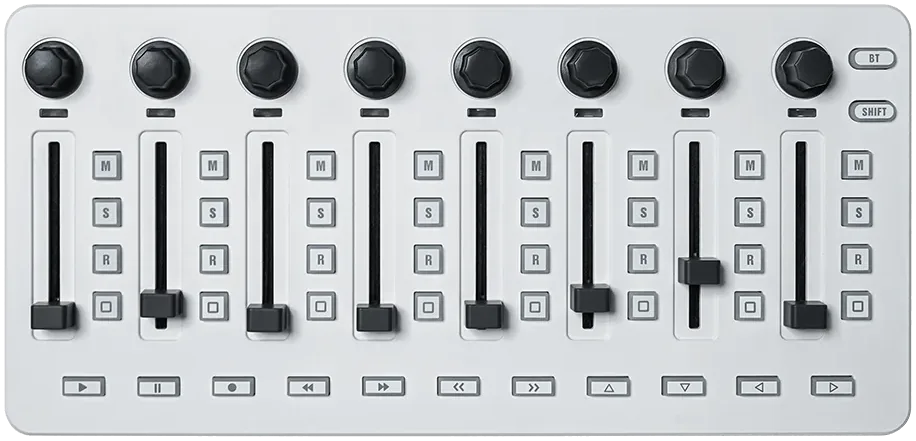
Alternative firmware for the SMC-Mixer that runs beside M-VAVE's own and turns its faders, encoders and buttons into a configurable MIDI controller, installed and edited from a browser page.
- Distribution
- Browser installer (WebMIDI / WebUSB)
- Requires stock
- M-VAVE firmware V012 or V013
- License notes
- The LICENSE file is the MIT text. The firmware is built against the JieLi AC63 SDK (Apache-2.0) and includes TinyUSB, newlib and compiler-rt code, listed in NOTICE. The repository states it is not affiliated with M-VAVE.
- Source
- github.com https://github.com/doctorsolberg/better-smc-mixer
- Homepage
- doctorsolberg.github.io https://doctorsolberg.github.io/better-smc-mixer/editor/
- controller
- midi
- usb-midi
- bluetooth
- presets
- editor
- web-midi
- web
Description
Gives the mixer four presets of four pages with eight strips each. Every fader, encoder and button can send control change, 14-bit control change, NRPN, RPN, notes, program change, aftertouch or pitch bend on its own channel, with a Shift layer for every control, fader pickup and scaling modes, and encoder acceleration and fine steps. USB MIDI and Bluetooth MIDI work at the same time. A Chrome page edits the configuration live over either link, learns assignments from an instrument and fills parameter lists from the MIDI Guide. The same page installs, updates and removes the firmware over USB or Bluetooth: it saves a 512 KB backup of the mixer's memory first, checks the memory layout and every file's checksum, writes the new image beside M-VAVE's and last switches start-up to it, and Go back switches start-up to M-VAVE's firmware again without a file. The author says installation, update and going back were verified on one retail mixer running M-VAVE V012 and V013, and releases are rebuilt from source and compared byte for byte. The repository documents the ROM download-mode recovery that uses an RP2040 board.
Install notes
Open the editor in Chrome on macOS, Windows or Android, connect the mixer over USB or Bluetooth and choose Install; keep the saved backup file private, since it holds the mixer's settings and Bluetooth pairings. After the write, switch the mixer off and on with its power switch. M-VAVE's own SincoOTA updater removes this firmware and its saved configuration, so save the configuration to a file first. The recovery notes describe the chip's ROM download mode as the last resort.
Version history
| Version | Date | Notes |
|---|---|---|
| v0.1.2 | 2026-11-25 | Pre-release. Adds light settings for the brightness of lit buttons and encoders and a faint glow on buttons that are off, and refreshes the LEDs four times as often. Needs 0.1.2 on the mixer. |
| v0.1.1 | 2026-11-24 | Pre-release. The firmware is 0.1.0's under a new version number; the changes are in the editor, with Copy, Paste and Clear working on the Normal or Shift layer you see, a name for the Shift layer, and layout fixes for phones. |
| v0.1.0 | 2026-11-24 | Git tag; no GitHub release page. The README calls it a pre-release, and the editor installs the firmware published beside it on the project's site. |