Spider V Web Control
Tool for Spider V / Spider V MkII (Line 6)
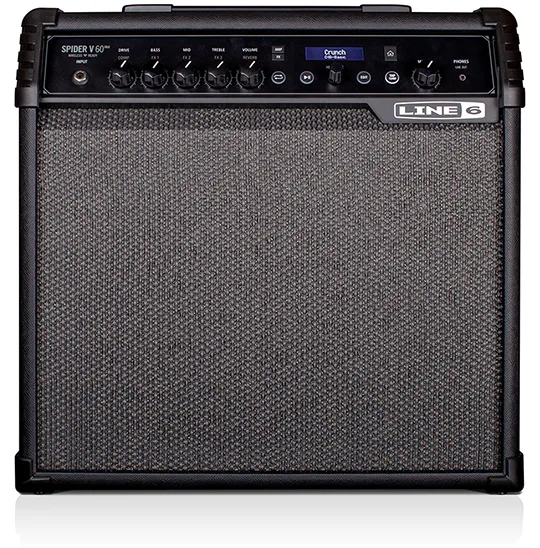
Browser editor for Spider V amps over Web MIDI, built from a reverse-engineered SysEx protocol. It edits the signal chain, models and knobs, saves presets, adds performance shortcuts and an optional AI tone assistant, and also has a command-line client.
by Leevi Laukka
- Distribution
- Browser installer (WebMIDI / WebUSB)
- License notes
- The LICENSE file is the MIT text. The README's third-party table says three test fixtures are not covered by it: a recording of a Spider V 20 MkII's replies including its symbol table, Line 6's sample tone from the Spider Remote app, and a USB capture from the GPL-3.0 Line6-FBV3-Clone project. The model catalog is Line 6's and is not included.
- Source
- github.com https://github.com/leevilaukka/spiderv-web-control
- Homepage
- leevilaukka.github.io https://leevilaukka.github.io/spiderv-web-control/
- editor
- web-midi
- sysex
- usb-midi
- presets
- librarian
- web
Description
Rights warning: the test fixtures hold a preset name list and a preset recorded from the author's amp, the sample tone from Line 6's Spider Remote app and a USB capture from another project. The editor loads the amp's 128 presets, shows the signal chain, switches blocks, changes models, turns every knob, sets tempo sync for delays and modulations, and reorders effects where the amp allows it. Edits go to the amp's edit buffer, and saving writes a preset slot the way Spider V Remote does, with one step of undo and a backup of all presets. It reads and writes .svl6p tone files. On top of that it adds shortcuts, tap tempo, A/B channels, a play view and MIDI footswitch mapping, which it keeps in the browser. A tone assistant sends a text description to Claude or Gemini with your own API key and sets the result on the amp. The app can run on an Android phone through Chrome, or relay a phone to an amp plugged into a computer. PROTOCOL.md documents the framing, handshake and commands, which the author derived from symbols in Line 6's Spider Remote app and from live tests. The author tested on a Spider V 20 MkII on firmware 2.0.1, and a Spider V 30 capture is used only in tests. Model and knob names come from Line 6's app, so the editor asks you to load them from your own copy of the Spider Remote APK. Without that file it falls back to names made from internal ids.
Install notes
Open the hosted app in Chrome or Chromium, connect the amp over USB and allow MIDI with SysEx access. The hosted copy has no phone remote relay. To self-host, use Bun, Docker or the standalone executables on the releases page. Load the model catalog once from a Spider Remote APK you own. Back up all presets before saving over any slot.
Version history
| Version | Date | Notes |
|---|---|---|
| v0.4.1 | 2026-10-19 | |
| v0.1.0 | 2026-10-16 | First release, adds standalone Linux and Windows executables in CI. |