M5 Editor
Tool for M5 / M9 / M13 (Line 6)
Single-page browser tool for the Line 6 M5 that reads a DUMP ALL as MIDI SysEx or a .syx file, shows all 24 presets with their knob settings, renames and reorders them, and sends the set back to the pedal.
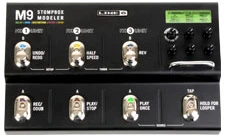
- Distribution
- Browser installer (WebMIDI / WebUSB)
- License notes
- The LICENSE file is the MIT text, copyright Maurice Hissink.
- Source
- github.com https://github.com/harmonicworks/M5-editor
- Homepage
- harmonicworks.org https://harmonicworks.org/M5-editor/
- editor
- web-midi
- sysex
- librarian
- presets
- web
Description
The author made it for their own M5 with help from Claude, which did most of the reverse engineering and coding from dumps of the pedal. The page unpacks the M5's 244-message dump, which uses 7-bit packing and checksums, into 24 presets. It lists the effect type and name, 16-character preset names, and each preset's knob values including the expression pedal heel and toe range. Names can be edited and presets swapped by dragging. The result can be saved as .syx or sent back to the M5, and a send replaces all 24 presets. Single-preset dumps and real knob names per effect are not done, and effect names for models outside the factory set can be entered by hand. Only the M5 is covered, not the M9 or M13. The author tested it on a real M5.
Install notes
Open the page in Chrome or Edge and allow MIDI with SysEx access, since Safari has no Web MIDI. Start a dump on the M5 from setup page 2 with Model Select set to DUMP ALL, then hold ON/OFF and press Model Select. Sending a dump overwrites all 24 presets, so keep a saved .syx backup first.
Version history
| Version | Date | Notes |
|---|---|---|
| v0.9 | 2026-10-28 | First public release. |