HXLinux
Tool for HX Stomp XL (Line 6)
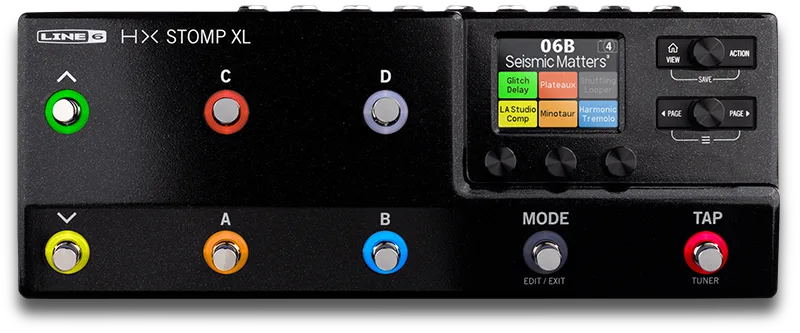
Tauri desktop editor for the Line 6 HX Stomp XL on Linux, with preset, block, parameter, snapshot and Command Center editing over USB, built from reverse-engineered protocol notes.
by Scrouik
- Distribution
- Prebuilt image you flash yourself
- Requires stock
- HX Stomp XL; the README does not give a firmware version
- License notes
- The repository has no LICENSE file and no license statement. It also bundles Line 6 model data and artwork (see the rights warning) whose terms are not given.
- Source
- github.com https://github.com/Scrouik/hxlinux
- editor
- usb
- presets
- research
- linux
Description
Rights warning: the repository bundles model data and artwork that appear to come from Line 6's software or documentation, namely a model catalog and controls JSON, a CSV of Line 6 model descriptions, and a folder of per-model icon images. Their provenance and licence are not stated. HXLinux connects to an HX Stomp XL over USB without HX Edit. It lists the 125 presets and lets the user activate, rename, save, copy and paste them, and shows the chain as a matrix where blocks can be copied, moved and dragged, including creating splits. Parameters are edited live, snapshots can be switched, renamed and edited per snapshot, and a Command Center view reads and writes controller assignments with min and max values. Releases are marked as pre-releases for early testers, and the HX Stomp XL is the only device the install notes call fully validated; Helix LT and Floor may be detected but cannot be edited. The repository is largely documentation of the USB protocol and of the author's debugging, much of it in French with English translations, and it credits kempline/helix_usb as the starting point.
Install notes
Download the AppImage, .deb or .rpm for Linux x86_64 from the releases page and install the udev rule in packaging/99-line6-helix.rules, then replug the pedal. The author says to export your presets from HX Edit first, because this is an early release. Only the HX Stomp XL is validated.
Version history
| Version | Date | Notes |
|---|---|---|
| 0.2.0 | 2026-08-12 | Pre-release. Adds Command Center, snapshots, drag and drop, and fixes preset read and save freezes. |
| 0.1.1 | 2026-07-07 | Pre-release. Adds read and write support for Input, Output, Split and Merge slots. |
| 0.1.0 | 2026-06-28 | Pre-release. First usable test build. |