HX One Flux Momentary
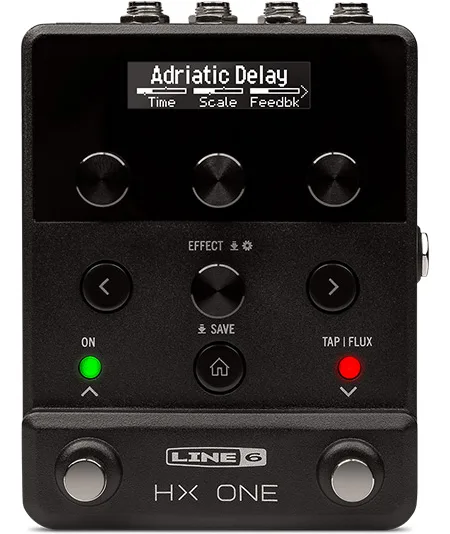
Python and assembly patcher that adds a Flux Momentary mode to stock HX One firmware 3.83.0a, so the Flux function is on only while the TAP/FLUX switch is held.
- Distribution
- Patches a stock file you supply
- Requires stock
- 3.83.0a (HX_One_v3.83.0a_0xc12f13f1.hx1f, MD5 c21734a915bd2db460756755b022d850)
- License notes
- The LICENSE file is the GPL version 3 text and the README states GPL-3.0, as HXtra; it carries no "or later" statement. The repository holds no Line 6 code or data, and the built update file contains Line 6's firmware and should not be redistributed.
- Source
- github.com https://github.com/andrewthirtythree-collab/hxone-mod
- patch
- flux
- footswitch
- research
Description
The patcher reads your own copy of Line 6's 3.83.0a update file and refuses any other, checking that every patch site still holds the stock bytes. It adds a third value, FlxMom, to the TAP/FLUX mode line on the last page of Global Settings, next to Tap and Flux. In FlxMom, pressing the switch turns Flux on and releasing it turns Flux off, and holding does nothing; the LEDs, screen and MIDI behave as in Flux mode. The new code is 171 bytes placed in an unused region of the firmware, and the repository includes an emulator-based test suite and a tool that reads and writes the update file format byte for byte. The README reports FlxMom working on a unit from the home screen and from the settings menu, and the three other screens that handle the switch covered by the emulator tests only. It follows the HXtra project's approach for the HX Stomp. No firmware is included.
Install notes
Run tools/patch.py on the stock file, which needs Python 3 and LLVM (clang, ld.lld, llvm-objcopy, llvm-nm), then install the built file with the update-from-file option, as for a stock update, after unplugging any MIDI cable. The README documents a recovery that was tested on a unit: hold the left arrow while powering on, which shows a blank screen and the NXP ROM loader on USB, and reinstall stock with Line 6 Central. Custom firmware is not supported by Line 6.
Version history
| Version | Date | Notes |
|---|---|---|
| main @ d1744b5 | 2026-11-15 | No tagged releases; this is the latest commit. |