Helrig
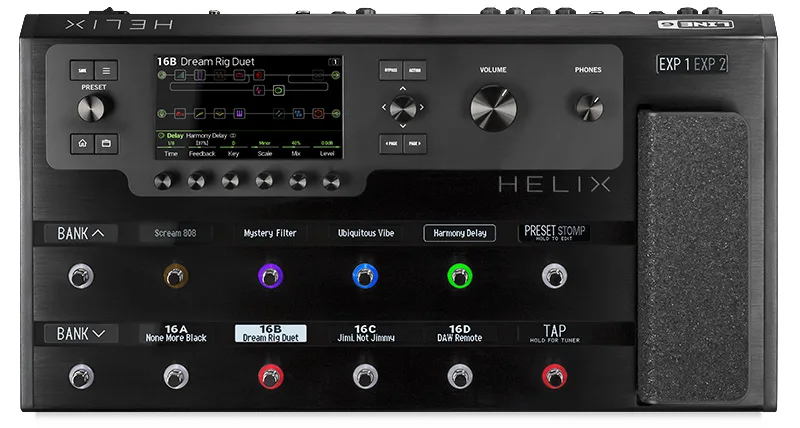
Tool for Helix Floor / LT / Rack, HX Stomp, HX Stomp XL and HX Effects (Line 6)
Closed-source editor for Helix and HX presets. A free browser version works on .hlx files, and desktop apps for macOS, Windows and Linux and an Android app edit the pedal live over USB, which needs a paid Connect or Pro purchase. A Wi-Fi Helrig Box is also sold.
by Yashar
- Distribution
- Browser installer (WebMIDI / WebUSB)
- License notes
- No source or license terms were found on the site; treated as proprietary.
- Homepage
- helrig.com https://helrig.com
- editor
- librarian
- web
- usb
- presets
- converter
- commercial
Description
The site says the browser editor needs no account and covers opening, editing, converting and exporting presets for Helix Floor, LT and Rack, HX Stomp, HX Stomp XL, HX Effects and Helix Native presets, and that Helix Stadium is not supported. The apps open the preset the pedal is playing, edit it live and save to a slot, keeping a copy of what was there. A cloud library keeps ten editable presets with a free account and all of them with Pro, with search by block and by the gear a model is based on, and a conversion between pedals. The page also lists a history with undo. The ToneRelay README says the Helrig Box is built on its relay profile, so it is listed with ToneRelay's entry; Helrig's own pages do not say how the editor or box are built. The site names one developer, Yashar, and says it is unaffiliated with Line 6. No source or license is published.
Install notes
The free editor runs in the browser at helrig.com. Desktop and Android apps are on the download page, and the page says to back up the pedal in HX Edit and close HX Edit first. USB connection in the apps needs Helrig Connect or Pro.
Version history
No versions recorded.