SK-1 Rosetta OS
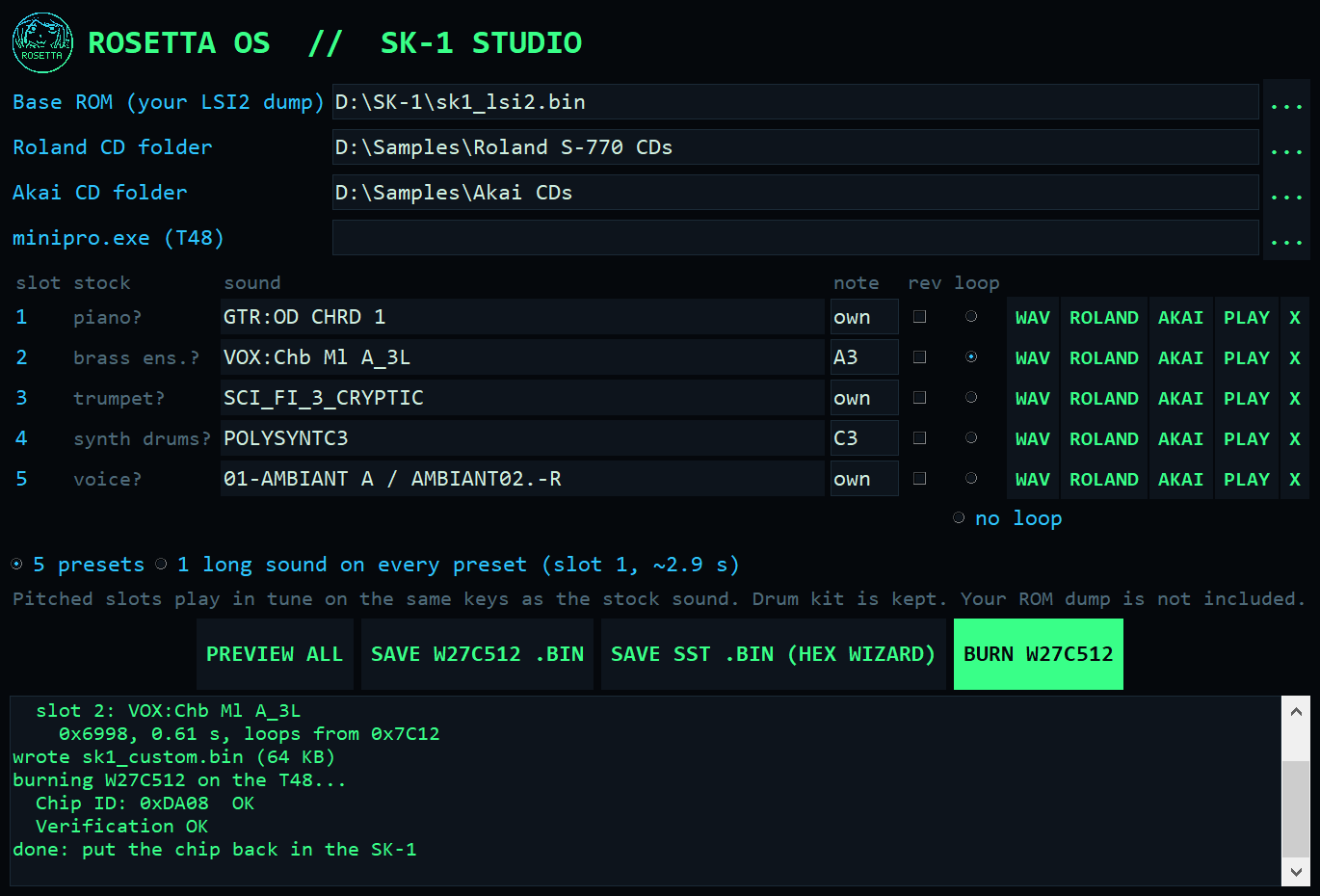
Replaces the SK-1's preset sound ROM with an EEPROM image built from your own WAV files or Roland and Akai sample CDs, with custom loop points, using the SK-1 Studio app.
- Distribution
- Patches a stock file you supply
- License notes
- The repository has no licence file and its README and release notes carry no licence statement. The README says Casio's ROM is not included.
- Source
- github.com https://github.com/yuyoi/Casio-Sk1-Rosetta-OS
- Homepage
- yuyoi.github.io https://yuyoi.github.io/Casio-Sk1-Rosetta-OS/
- eprom
- sampler
- samples
- editor
- converter
- research
Description
The SK-1's external ROM holds data only (tones, envelopes, rhythms and the five PCM presets), while its program lives inside the CPU. SK-1 Studio fills the five preset slots from a WAV file, a Roland S-760 or S-770 CD image, or an Akai S1000 or S3000 CD image, pitches each to its slot, reverses it if asked, and edits a loop on a waveform. One slot can loop, and a single long sound of about 3 seconds can fill every preset. Output is a 64 KB image for a W27C512 EEPROM or a 512 KB image for an SST39SF040, and the app can burn the W27C512 through minipro. The stock drum kit is kept. The README reports a W27C512 in the ROM socket working on a real SK-1, and says the sampler's own 1.4 second limit is unchanged. The author credits Claude, an AI assistant, with the code. The same changes apply to the Radio Shack Concertmate-500.
Install notes
Desolder the preset ROM (LSI2, a 28-pin chip beside the two RAM chips), fit a socket and read the chip first with a programmer; the README lists the expected CRC32 of a good dump. Build an image in SK-1 Studio (Windows, Python 3.10 or later) and burn it to a W27C512 outside the board, since it needs a programming voltage the board grounds. Keep the original chip; fitting it again returns the keyboard to stock. A 512 KB SST39SF040 can be seated in the socket with a few wire links described in the README.
Version history
| Version | Date | Notes |
|---|---|---|
| v1.0 | 2026-11-06 | First release; SK-1 Studio with slot filling, loop editor and EEPROM image output. The release has no attached files. |