minichord Sound Lab
Tool for minichord (Benjamin Poilvé)
Community browser companion for the minichord that mirrors what is being played, explains and graphs every firmware setting, edits presets live over Web MIDI and records the played notes to a MIDI file.
- License notes
- The LICENSE file names "the minichord Sound Lab contributors" as copyright holders.
- Source
- github.com https://github.com/MinichordDrawn/minichord-soundlab
- Homepage
- minichorddrawn.github.io https://minichorddrawn.github.io/minichord-soundlab/
- editor
- presets
- sysex
- visualizer
- web-ui
Description
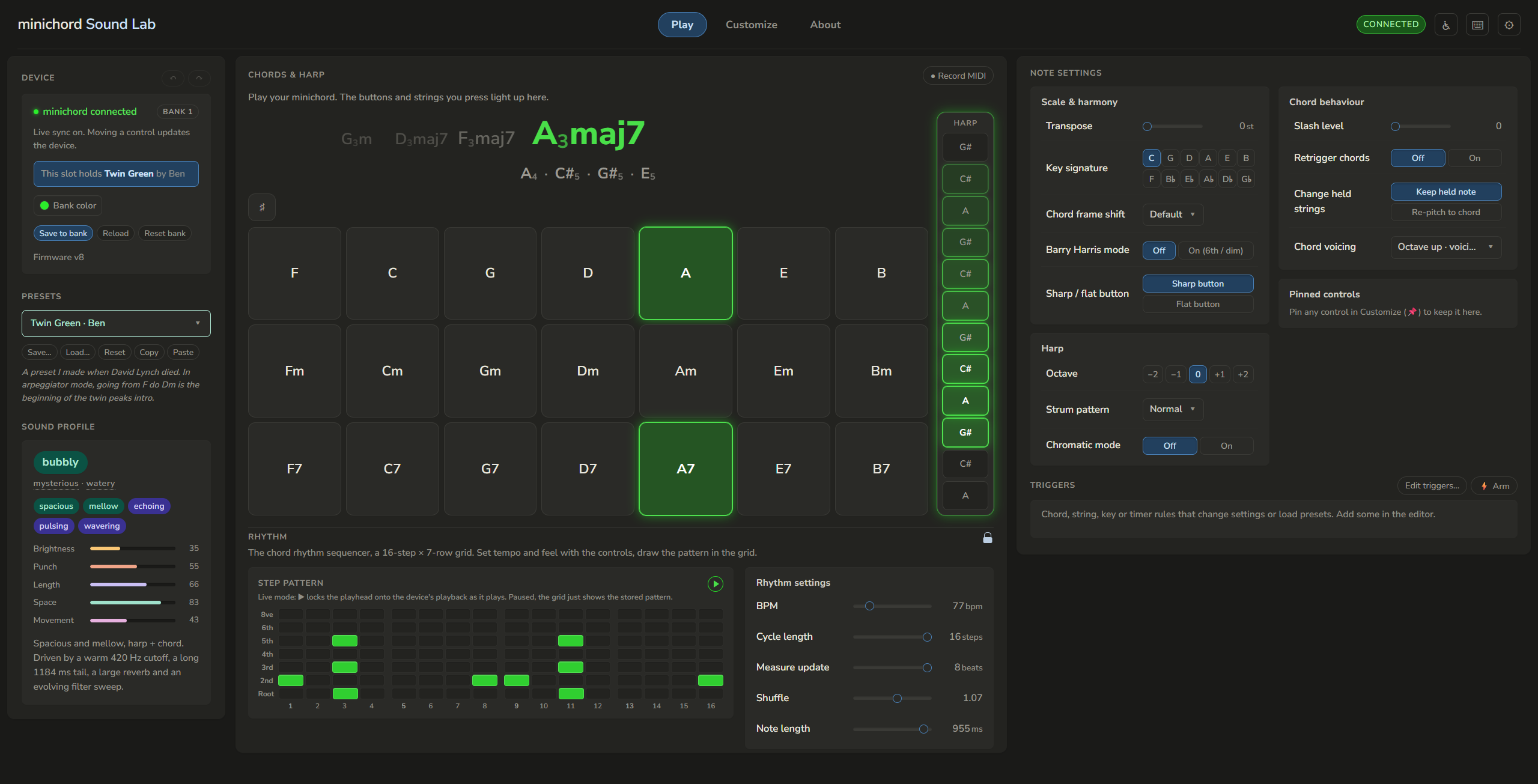
Sound Lab connects to the minichord over Web MIDI and lights up the chord buttons and harp strings on screen as they are played. Because the instrument only sends notes, it infers which button or string was touched from the current settings and the incoming notes, and says that this is sometimes a best guess. A Customize view lists every setting with an explanation and a graph, and the app also has a preset browser, share codes, a randomiser, trigger rules that change settings or load presets when a chord, string or key is played, MIDI recording to a .mid file and accessibility options. Without a minichord it runs in a learning mode. It is plain HTML and JavaScript with no build step and works offline from a downloaded copy. The official minichord README links it as an alternative control platform.
Install notes
Nothing to install. Open the web page, or download the repository as a ZIP and open index.html. Connecting the instrument needs Chrome or Edge; Firefox asks for permission first, and Safari only runs the learning mode.
Version history
| Version | Date | Notes |
|---|---|---|
| main @ e2dfd1b | 2026-09-10 | No tagged releases; this is the latest commit. |