Push Tethered App
Tool for Push 3 Standalone and Push 2 (Ableton)
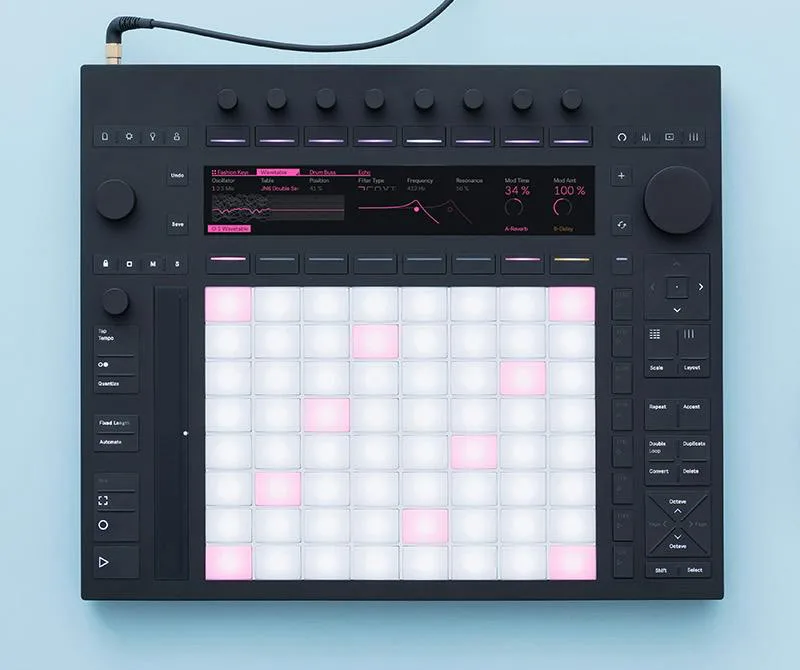
Desktop app for macOS, Windows and Linux that takes over a USB-connected Push 2 or Push 3 without Live and runs small modules, written in Go, Python or JavaScript, that draw on its screen and read its pads, buttons and encoders.
by Federico P.
- Distribution
- Prebuilt image you flash yourself
- License notes
- The repository has no license file and no license statement.
- Source
- github.com https://github.com/federico-pepe/push-tethered-app
- Homepage
- github.com https://github.com/federico-pepe/push-tethered-app#readme
Quality
Rising
Under a year old, with real traction.
- MaturityModerate
0.3 years · 12 releases · 206 commits
- PopularityLow
★ 15 · 0 forks · 1 watching
- VitalityStrong
206 commits last year · last activity 2026-11-08
- Issue healthModerate
0 closed / 1 open · 30 of 30 PRs merged
- InfluenceLow
0 catalog entries build on this
- CommunityLow
1 contributor · bus factor 1
Data from GitHub, 2026-11-23. How ratings work.
- platform
- sdk
- ui
- midi
- controller-mode
- python
Description
The app finds the Push's display and MIDI ports, pairs them, and acts as a host for modules that can draw to the 960 by 160 screen, set pad and button lights and react to pads, buttons and encoders. Built-in modules include a step sequencer, a MIDI monitor, a remapper and a pass-through, and modules from other authors can be installed from an online catalog or from a folder. Several Push units can be paired at once, and a User Mode setting lets it run next to Live. Push 3's DIN MIDI jacks can be used for module input and output, and the screen can be mirrored to a browser. It shares its toolkit with Push Hack, which covers Push 3 Standalone, and its documentation records protocol notes for Push 2 and Push 3. The project says it is not approved or supported by Ableton, and all of its releases are marked alpha.
Install notes
Download the pushapp-ui build for your platform from the releases page, connect the Push over USB, pick its screen and a MIDI port in the app and pair them. To use it next to Live, close Live first, pair the User Port, start Live and turn on User Mode, as the manual describes. It runs on the computer and installs nothing on the Push. All releases are marked pre-release.
Version history
| Version | Date | Notes |
|---|---|---|
| v0.2.8-alpha | 2026-11-04 | Updates the bundled core to v0.5.4 and adds a touch-header frame operation for the core touch overlay. |
| v0.2.7-alpha | 2026-10-31 | Adds a BCA Sequencer entry to the module catalog and a screen-mirror viewer page that shows lossless 2x PNG frames. |
| v0.2.6-alpha | 2026-10-06 | Docs say Keep Push in User Mode works on Windows and Push 2. |
| v0.2.5-alpha | 2026-10-03 | Adds the Keep Push in User Mode option. |
| v0.2.4-alpha | 2026-10-01 | |
| v0.2.3-alpha | 2026-09-02 | |
| v0.2.0-alpha | 2026-08-29 | Windows MIDI fixes and a Raspberry Pi build. |
| v0.1.4-alpha | 2026-08-28 | |
| v0.1.3-alpha | 2026-08-26 | Adds the screen mirror and the pad-grid pointer. |
| v0.1.2-alpha | 2026-08-23 | |
| v0.1.1-alpha | 2026-08-20 | Adds User Mode co-existence with Live and MIDI clock in and out. |
| v0.1.0-alpha | 2026-08-20 | First module host release, tested on Windows and a Raspberry Pi 5. |