Mixxx Mode
Firmware for Push 3 Standalone (Ableton)
Push Hack module that stops Live on Push 3 Standalone and runs the Mixxx DJ software on the unit's own audio outputs, with two decks mapped to the pads, buttons and encoders and a Mixxx skin on Push's screen.
by itsrave
- Distribution
- Prebuilt image you flash yourself
- Requires stock
- Push Hack with push-manager version that supports direct display mode
- License notes
- The LICENSE file grants GPL version 2 or any later version for the module code. The release bundles Mixxx 2.5.6, also GPL-2.0-or-later and patched by this project, plus the Ubuntu 22.04 libraries it needs, with the Mixxx source attached to each release. GitHub's detector reports NOASSERTION; the file has a short custom header above the GPL text.
- Source
- github.com https://github.com/itsrave/push-mixxx-mode
- Homepage
- github.com https://github.com/federico-pepe/ableton-push-hack#readme
- dj
- performance
- platform
- ui
- controller-mode
Description
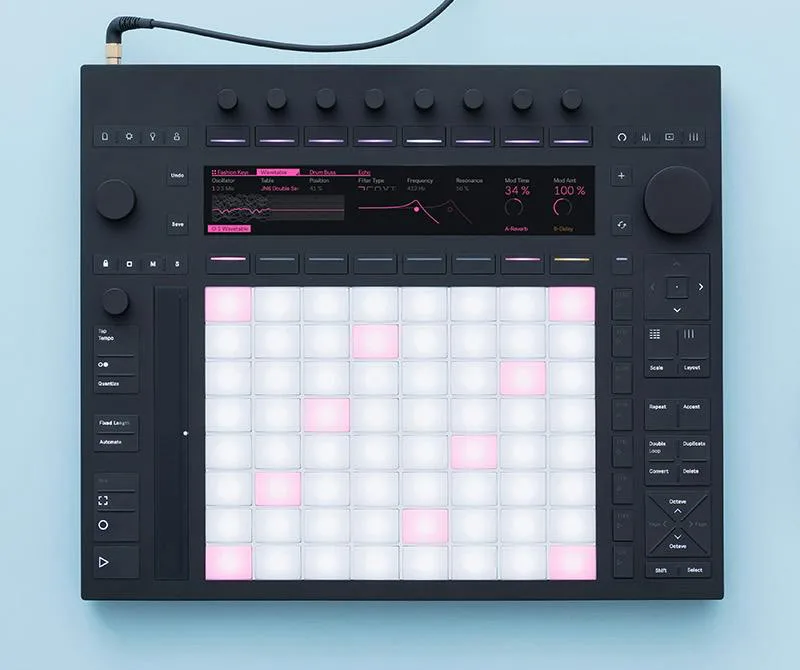
Switching to Mixxx mode stops Push's own software, starts a patched Mixxx 2.5.6 on the Push's audio outputs and sends a 960 by 160 skin to the screen through Push Manager. Each side of the Push controls one deck, with hot cues, loops, jumps, sync, key lock and a volume fader on the pads, EQ, effect, grid and gain pages on the encoders, a crossfader on the touch strip and headphone cue buttons. A 4-deck layout and a library browser with on-pad search are included. Rekordbox USB drives can be browsed and playlists with their hot cues and beat grids imported, which needs the patches the project applies to Mixxx. Holding Settings returns to Push mode. The release is a tarball of about 180 MB that bundles Mixxx and its libraries, and a matching source archive is attached to every release.
Install notes
Install Mixxx Mode from Push Catalog on the unit. Switch from push-manager's web page, or from the MIXXX tab of the Shadow UI opened with Shift and Set, and hold Settings for 1.5 seconds to return to Push mode. Removing it from the catalog deletes its whole folder, including the Mixxx library, playlists, cue points and audio settings, so copy the settings folder first to keep them. Without a suitable push-manager the screen stays dark in Mixxx mode. The Push Hack warnings about backups, recovery and Push software updates apply.
Version history
| Version | Date | Notes |
|---|---|---|
| v0.1.1 | 2026-10-19 | Logs when push-manager is missing or too old, and no longer asks for a fixed port. |
| v0.1.0 | 2026-10-15 | First release. |