Push Hack Stacks
Firmware for Push 3 Standalone (Ableton)
Push Hack port of the Stacks chord-progression tool: write, voice and play progressions into Live from Push 3 Standalone's screen, pads and encoders or a browser, following Live's transport.
- Distribution
- Prebuilt image you flash yourself
- Requires stock
- Push Hack 0.1.16-alpha or later with push-manager and push-display; PushHack Remote Script in Live for listening and scale
- License notes
- The repository's own code is MIT. The Stacks core is copied from the same author's schwung-stacks, and Schwung plugin headers (MIT, Charles Vestal) and Push Hack core code are listed in THIRD_PARTY_LICENSES.md.
- Source
- github.com https://github.com/rgeissen/push-hack-stacks
- Homepage
- github.com https://github.com/rgeissen/push-hack-stacks#readme
- chords
- sequencer
- midi
- scales
- ui
- performance
Description
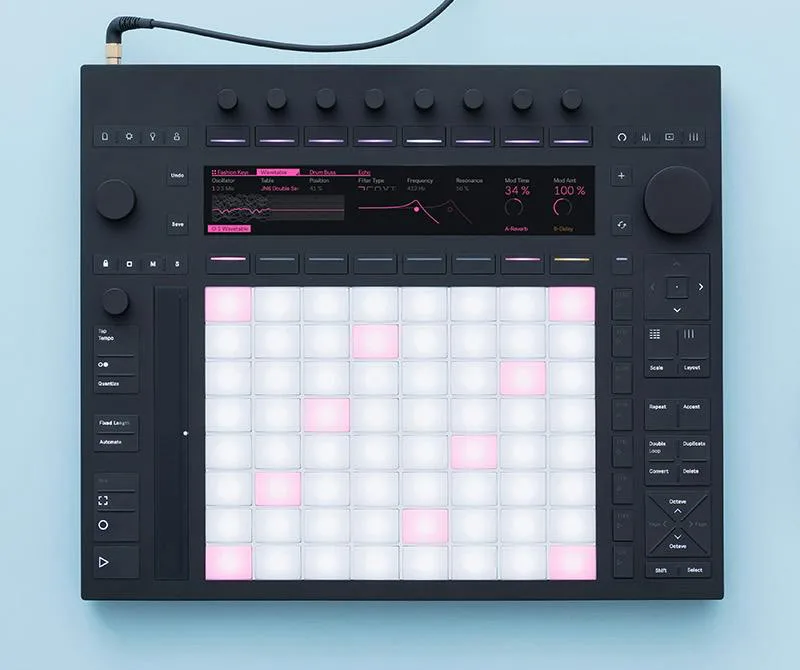
Stacks was written for Ableton Move as a Schwung module (catalogued under Move as Stacks), and this repository builds the same C core into a Push Hack module with a Push-specific interface. The bottom two pad rows hold the chords, the middle rows edit the selected chord on Write, Voice and Feel pages, and the top two rows hold 16 patterns. It plays on the selected Live track, starts and stops with Live's transport and tempo, and keeps its progression, patterns and settings on the unit. A listen mode names the chord being played on the pads, a Shift and Scale option follows Push's scale, and a port named Stacks Harmony tells other Push Hack apps the key, scale and chord that are playing. The author describes it as early. Listening and scale following need newer Push Hack releases and a Live remote script. The README still names Browser Bridge for that, which is retired, and Push Hack's changelog says the PushHack Remote Script took over its listen and scale functions. The README lists Read Clip and Read Track as not supported yet.
Install notes
Install it from Push Catalog on the unit, then in Push's MIDI settings turn on Sync for the Stacks In output so Stacks can follow Play and Stop. Open it from Push Hack Home with Shift and Help, or edit from the browser panel linked in Push Manager. For listen mode, select the PushHack control surface in Live (the README still says Browser Bridge, which is retired) and enable Track on the Stacks Listen output. Without a new enough Push Hack it still plays into Live and the browser panel works. Releases are tarballs built by the project's GitHub workflow. The Push Hack warnings about backups, recovery and Push software updates apply.
Version history
| Version | Date |
|---|---|
| v0.4.3 | 2026-10-19 |
| v0.4.2 | 2026-10-19 |
| v0.4.1 | 2026-10-18 |
| v0.4.0 | 2026-10-18 |
| v0.3.2 | 2026-10-17 |
| v0.3.1 | 2026-10-17 |
| v0.3.0 | 2026-10-17 |
| v0.2.0 | 2026-10-17 |
| v0.1.1 | 2026-10-17 |
| v0.1.0 | 2026-10-17 |