Push Hack
Firmware for Push 3 Standalone (Ableton)
Unofficial framework that adds third-party apps to Push 3 Standalone on top of the stock software, with a web manager, a screen and MIDI takeover hook, and an on-device catalog; a self-described prototype.
by Federico P.
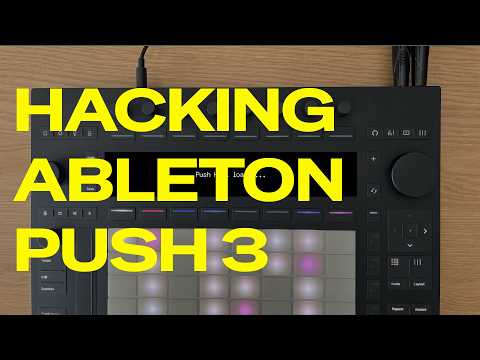
- Distribution
- Prebuilt image you flash yourself
- Requires stock
- Push software 2.4.3 stable or 2.4.5b8 (tested versions)
- Source
- github.com https://github.com/federico-pepe/ableton-push-hack
- Homepage
- github.com https://github.com/federico-pepe/ableton-push-hack#readme
Quality
Established
Mature and widely used.
- MaturityModerate
0.3 years · 14 releases · 388 commits
- PopularityModerate
★ 44 · 5 forks (3 active) · 2 watching
- VitalityStrong
388 commits last year · last activity 2026-11-22
- Issue healthStrong
0 closed / 0 open · 108 of 110 PRs merged
- InfluenceLow
0 catalog entries build on this
- CommunityModerate
6 contributors · bus factor 1
Data from GitHub, 2026-11-23. How ratings work.
- platform
- sdk
- ui
- midi
- performance
Description
Push Hack installs three base modules on the unit over SSH: Push Manager, a web interface served from the Push that also handles file access, a MIDI monitor and an app switcher; Push Display, a preload hook in Push's own process that lets other programs draw on the screen and take over pad and button MIDI; and Push Catalog, an on-device installer for community modules. Because it cannot reach inside Live, it creates virtual MIDI and audio ports for apps to talk to Live, and uses the PushHack Remote Script inside Live to load presets and control tracks, clips and devices. Apps can take over the whole screen, pads and buttons, and are opened from Push Hack Home with Shift + Help. The author calls it a prototype that is not meant for production use, says it was inspired by Move Anything and Schwung, and discloses that most of the code was written with coding agents under human supervision.
Install notes
Pair the computer at push.local/pair, download and unzip the repository, then run scripts/install.sh from a terminal (Git Bash on Windows) or use the Push Hack Installer app. The script creates an SSH key if needed, which must be added at push.local/ssh and confirmed on the Push. The unit reboots at the end. Back up sets and samples first, know Ableton's recovery methods for Push 3 Standalone, and run scripts/uninstall.sh before every Push software update and install again afterwards; the project warns that updating with the hack present can leave the unit on a black screen.
Version history
| Version | Date | Notes |
|---|---|---|
| v0.2.0-alpha | 2026-11-15 | |
| v0.1.24-alpha | 2026-11-12 | Adds a VST3 scan switch to the System tab and the Shadow UI. |
| v0.1.23-alpha | 2026-11-12 | Reads battery and power-button state from the power-state SysEx and adds Arrangement to the catalog. |
| v0.1.22-alpha | 2026-11-07 | Adds MachineModule and MonoModule to the catalog and makes the Push 3 MIDI port follow when Live's port number moves. |
| v0.1.21-alpha | 2026-11-01 | Adds plugin folders to the PLUGINS tab and web Browser and a web page that mirrors the Push screen; restart the Push once after updating. |
| v0.1.20-alpha | 2026-10-28 | Remote Script 0.5.0 can read and set track routing; the Shadow UI Stats tab becomes System. |
| v0.1.19-alpha | 2026-10-28 | Remote Script 0.4.0 drops the old text protocol and arrangement socket; restart Live after updating. |
| v0.1.18-alpha | 2026-10-28 | Remote Script 0.3.0 adds track, session, device and clip control from hacks; restart Live after updating. |
| v0.1.17-alpha | 2026-10-27 | First release that carries the PushHack Remote Script; users on 0.1.15-alpha need one run of install.sh. |
| v0.1.16-alpha | 2026-10-27 | Update learns to install the Remote Script but does not include it. |
| v0.1.15-alpha | 2026-10-20 | |
| v0.1.14-alpha | 2026-10-19 | Git tag; no GitHub release page. |
| v0.1.13-alpha | 2026-10-19 | Git tag; no GitHub release page. |
| v0.1.12-alpha | 2026-10-04 | Git tag; no GitHub release page. |