Sculpt
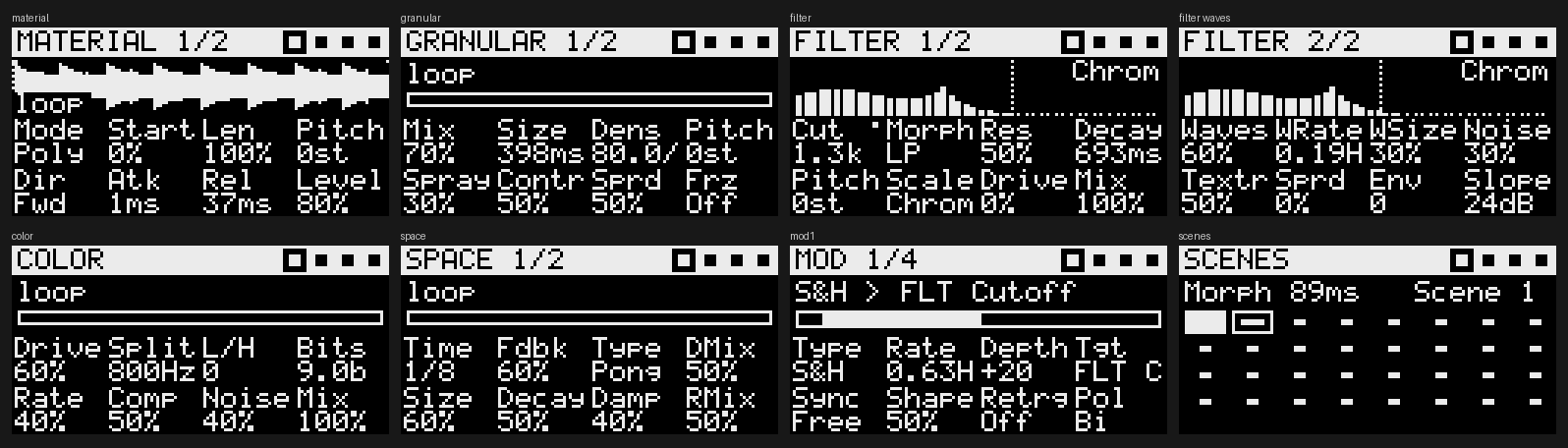
Schwung overtake tool that turns the Move into a four-track sculpting sampler with granular playback, a 48-band resonant filter bank, delay and reverb, scenes and hold-to-play punch effects. Alpha, not yet tested on hardware.
by sanoi
- Distribution
- Prebuilt image you flash yourself
- Requires stock
- Schwung installed on the Move, with SSH access enabled
- Source
- github.com https://github.com/SANOIII/schwung-sculpt
- Homepage
- sanoiii.github.io https://sanoiii.github.io/schwung-sculpt/
- sampler
- granular
- fx
- synth-engine
- performance
Description
Each of the four stereo tracks runs the same chain of tape or poly sampler, granular engine, filter, colour stage and space effects, with four modulators per track and a master compressor. It records from the Move's audio input, loads WAV files from the user library, stores 32 scenes that morph into each other, and plays tracks from MIDI channels 1 to 4. Sessions are saved to the Move. The release is marked as an alpha that has not been run on a real device, and the author suggests backing up sets first. A single-page simulator in the repository and on GitHub Pages runs the same code as WebAssembly with a virtual Move.
Install notes
Needs Schwung. Download sculpt-module.tar.gz from the release, unpack it and copy the sculpt folder to /data/UserData/schwung/modules/tools/ on the Move, then open Tools, Sculpt in the Schwung menu. Rescan modules in Schwung Manager if it does not appear.
Version history
| Version | Date | Notes |
|---|---|---|
| v0.1.0-alpha | 2026-09-23 | Pre-release. |