Chord Display
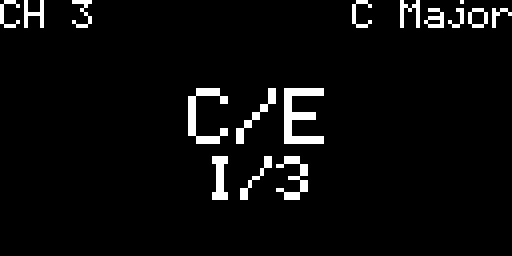
Schwung audio effect that shows the chord being played, from pads or a clip on any track, with its name and a roman numeral in the Set's key, leaving audio and MIDI untouched.
by Nipheon
- Distribution
- Prebuilt image you flash yourself
- Requires stock
- Schwung 1.6.2 or later installed on the Move (tested on 1.7.3)
- License notes
- Host headers copied from Schwung (MIT) and parts adapted from schwung-ducker (MIT) are listed with their licences in THIRD_PARTY_LICENSES.md.
- Source
- github.com https://github.com/Nipheon/schwung-chord-display
- Homepage
- github.com https://github.com/Nipheon/schwung-chord-display#readme
- chords
- scales
- utility
Description
Chord Display reads the notes that reach it on every channel and names the chord on its first page, with inversions shown as slash chords such as C/E and I/3. Its one setting is Channel (Auto, 1 to 16 or Omni); each Move track's MIDI Out must be set to a channel for it to see the notes. The numeral uses the Set's root note and scale as read from Move, and a single note clears the display. It is an audio effect because those receive every channel. The page appears in the Schwung editor, not on Move's own screen.
Install notes
Needs Schwung. Install Chord Display from Schwung's module store or Schwung Manager, or build it with the repository's Docker script. Load it as an audio effect on any slot.
Version history
| Version | Date |
|---|---|
| v0.1.5 | 2026-10-31 |
| v0.1.0 | 2026-10-24 |