M8 LPP Emulator
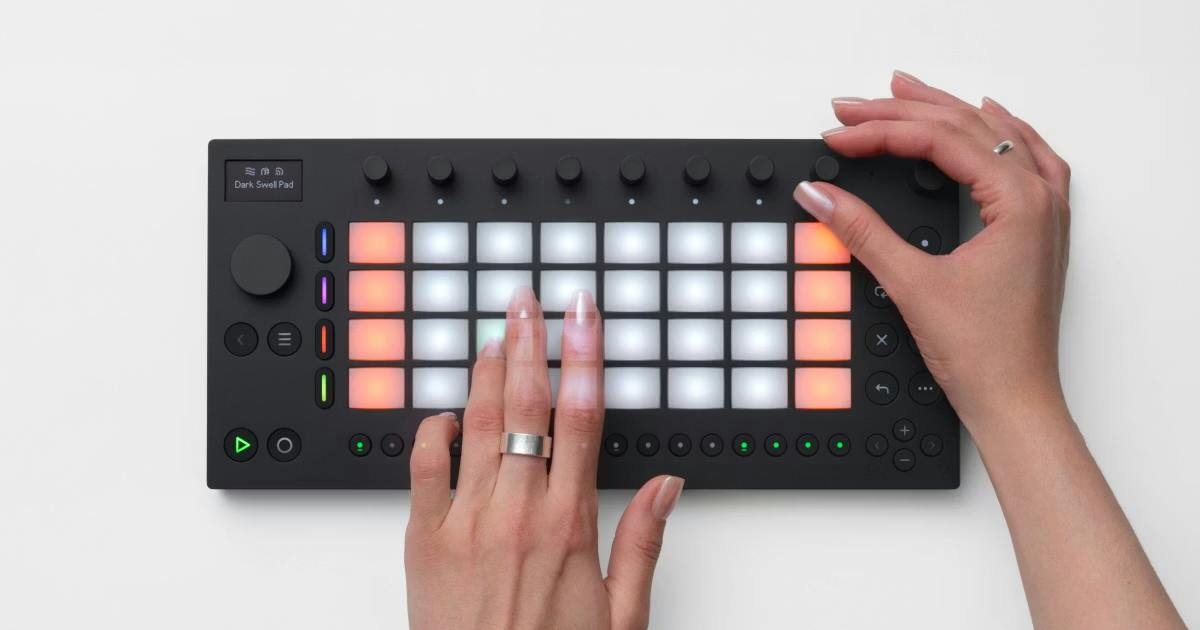
Schwung module that lets Move stand in for a Novation Launchpad Pro on a Dirtywave M8, with the M8's session, note, sequencer and beat-repeat screens on the pads and a bank of named, CC-mapped knobs.
by Caleb, Charles Vestal
- Distribution
- Prebuilt image you flash yourself
- Requires stock
- Schwung installed on the Move; a Dirtywave M8 set to Launchpad Pro control surface
- License notes
- The LICENSE file keeps the Creative Commons Attribution-NonCommercial-ShareAlike 4.0 licence of the module it derives from, so it is not open source in the OSI sense.
- Source
- github.com https://github.com/chaolue/schwung-m8
- Homepage
- chaolue.github.io https://chaolue.github.io/schwung-m8/
- controller-mode
- midi
- emulator
- ui
Description
The M8 treats a Launchpad Pro as a control surface. This module speaks that protocol to an M8 connected to Move's USB-A port, or to the M8 iPad app on the USB-C port, and shows half of the 8 by 8 grid on the pads at a time, with the colours, blinking and pulsing reproduced. The eight knobs send CC values to M8 mixer, send effect, instrument and EQ parameters that the user adds one at a time, shown in the M8's own units, with filter, envelope and LFO graphics. Pages of knobs are saved as songs and can be edited from a browser. The M8 keeps running its own firmware on its own hardware; the module only exchanges MIDI with it. The first version was bobbydigitales's M8 module for Move Anything.
Install notes
Needs Schwung and an M8. Install M8 LPP Emulator from the Utilities section of Schwung's Module Store, then on the M8 set MIDI Settings, CTRL SURFACE to Launchpad Pro and open the module from Schwung's Tools menu (Shift and step 13). The README says to keep Move tracks off MIDI channels 1 to 3 to avoid echo.
Version history
| Version | Date | Notes |
|---|---|---|
| v1.2.0 | 2026-09-19 | Adds songs of named, CC-mapped knobs with graphics, LEDs and a web UI. |